
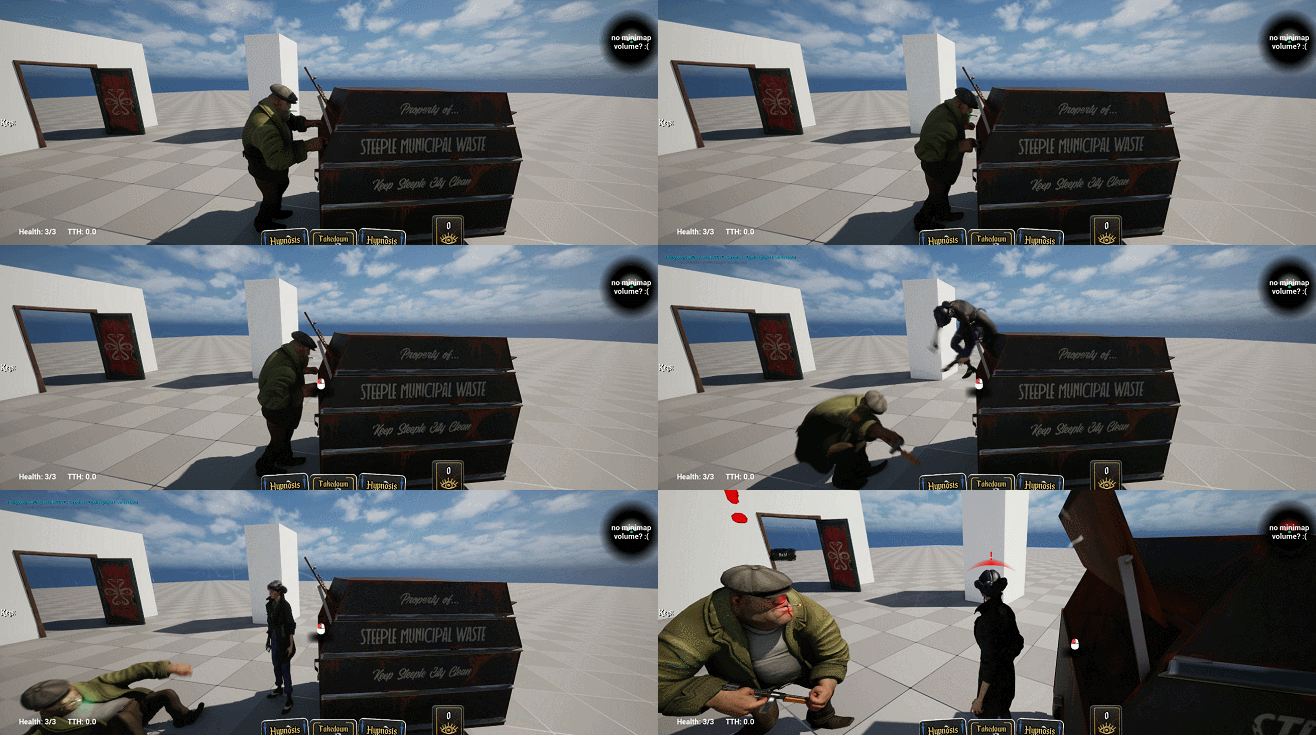
I’ve been working for the last week or two on a system to streamline contextual or scripted animation stuff in Sleight of Hand, a stealth game with a lot of systemic interaction aspirations. I built an interest source system a while back for coordinated investigations and dynamic behaviours, and while some of those interactions have been doing cool stuff on the animation side (a guy might rip open a wardrobe you’re hiding in, for example), it has tended to involve a lot of more-or-less-boilerplate Blueprint every time; it’s not been as easy as it should be to drop in what Half-Life called a “scripted sequence”. This fortnight’s work has improved this a great deal, and I’ll tell you for why, and perhaps you will benefit from doing something like this yourself.
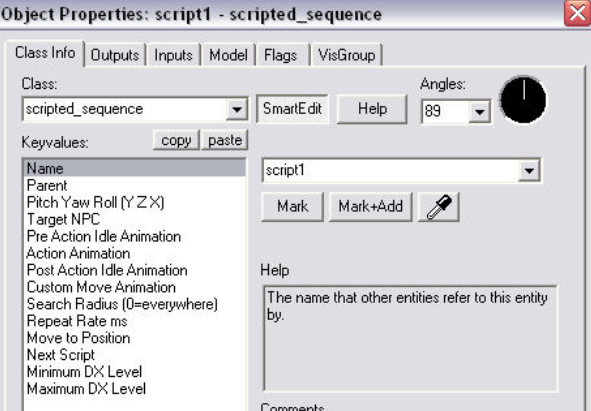
I mention Half-Life because in Half-Life and 2, there’s an entity (as in unreal actor or unity gameobject) called scripted_sequence which I think is a good template for how simple stuff like this should be for a level designer. You more or less just place one of these where you want a guy to, say, lean on a wall, and fill out PreActionIdleAnimation, ActionAnimation and PostActionIdleAnimation and you can make a guy lean on a wall with a start, loop and end animation. Of course, you might string a bunch of these together and script something much more complicated, all without writing actual code.
Unreal has a lot of great animation systems available already, but not in a way that’s exposed to level designers in what I would call a sustainable way; that is, where someone can come up with a cool sequence and make it happen as a seamless part of gameplay without generating any code – not that designers coding is a problem, it’s just wasteful and slow not to systemise this. Every time we put in something like “a guy kicks down a door” we were throwing in another lump of code to do almost-but-not-quite the same thing as the last time. So I made what is currently called ContextAnimComponent, set out mostly more-or-less the way scripted_sequence does it.
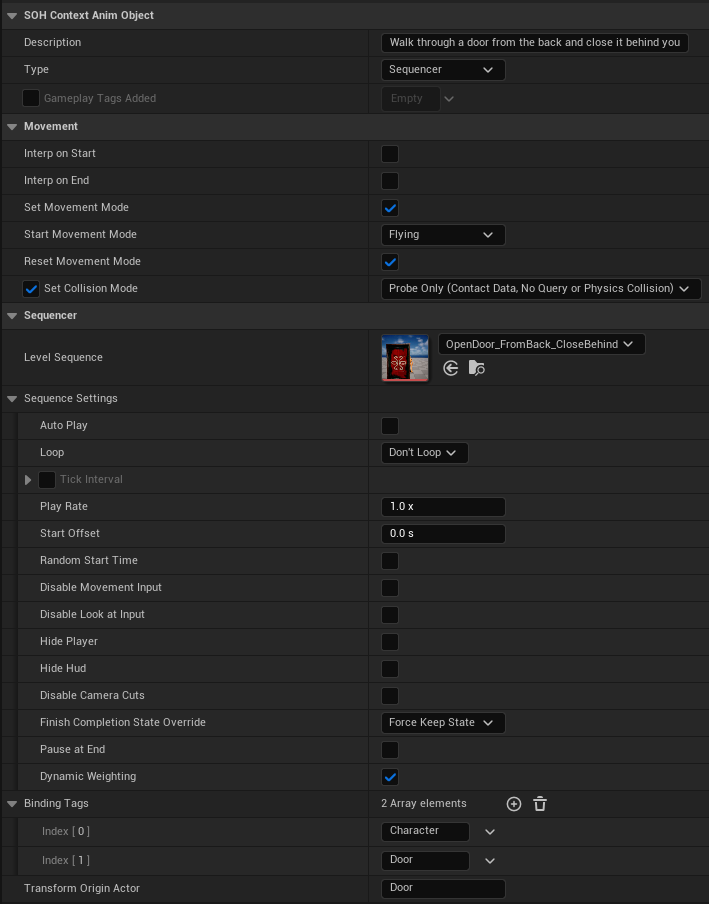
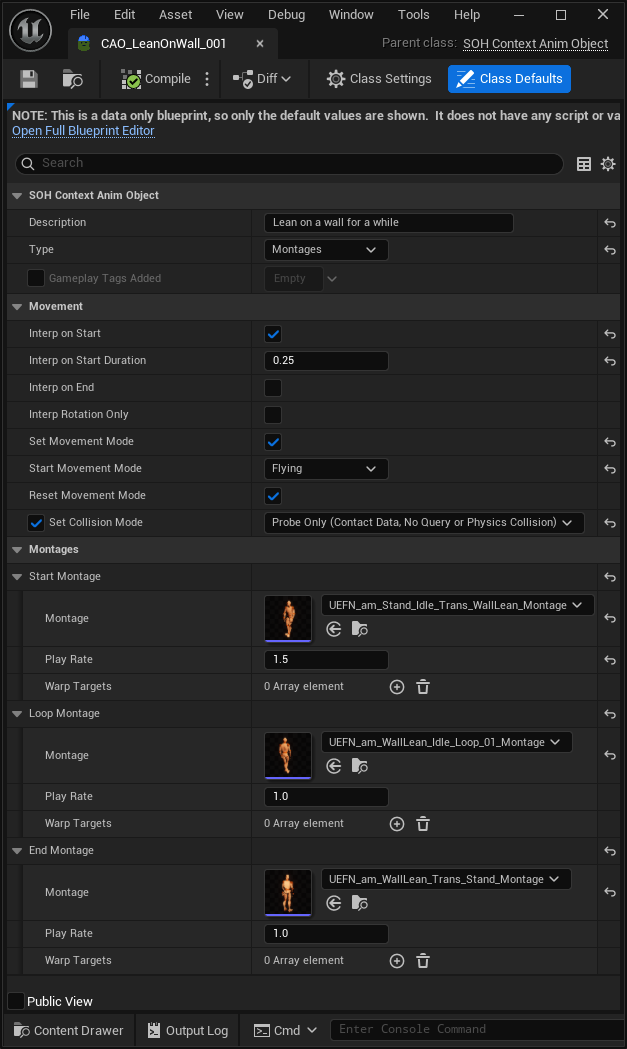
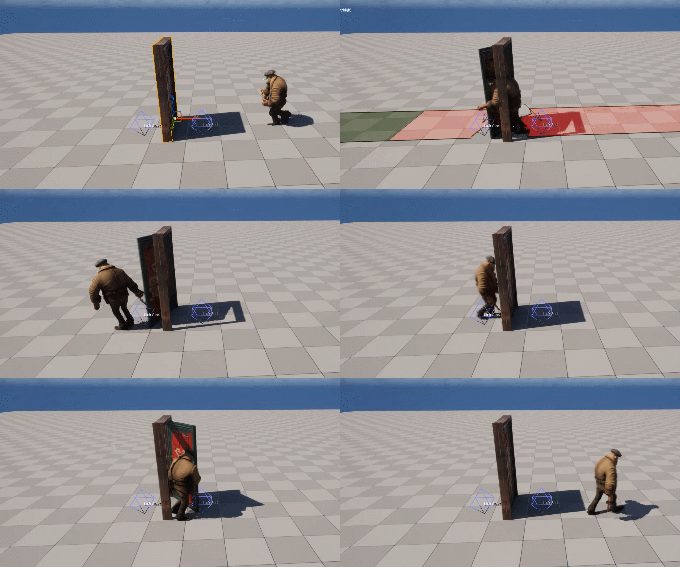
When a ContextAnim is triggered, we do a few things (most of them optional) as defined in the asset (not on the component, because we reuse these across many actors): move the character into position over some duration, set a movement mode, set collision, and then we either play a series of AnimMontages or a LevelSequence. Montages are usually all you need, but a level sequence gives intricate control over any object you want, including the camera. If we’re using root motion montages and want motion warping, we can enter warp target names here too. If it’s a level sequence, you can specify which actor to use as the Transform Origin – so for instance in the door example below, the door’s origin is used, so everything is positioned relative to whatever door you’re playing a sequence on.
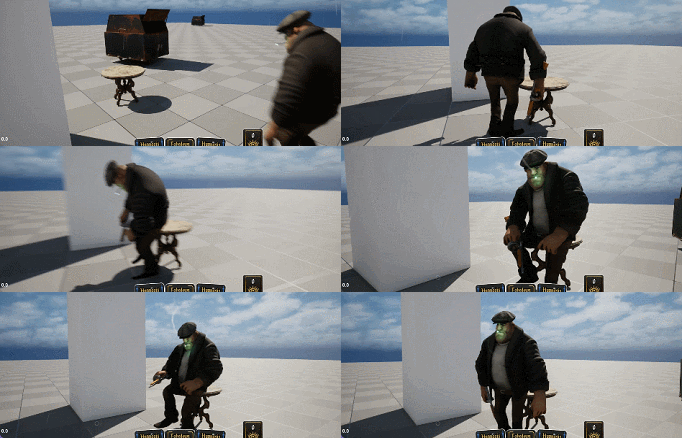
In the example on the right, we’re using AnimMontages, and we have a Start, Loop and End montage (optional, except you need at least one). If you’re familiar with AnimMontages, you might be going “but Joe, you can set up a start/loop/end inside one animmontage!” Yeah, but this is better, because the designer has greater control over the sequence this way, and we can still drop into the montage editor for each of these if we want to. And we do – sometimes a “sit in a chair” loop contains a bunch of fidgets and idles.
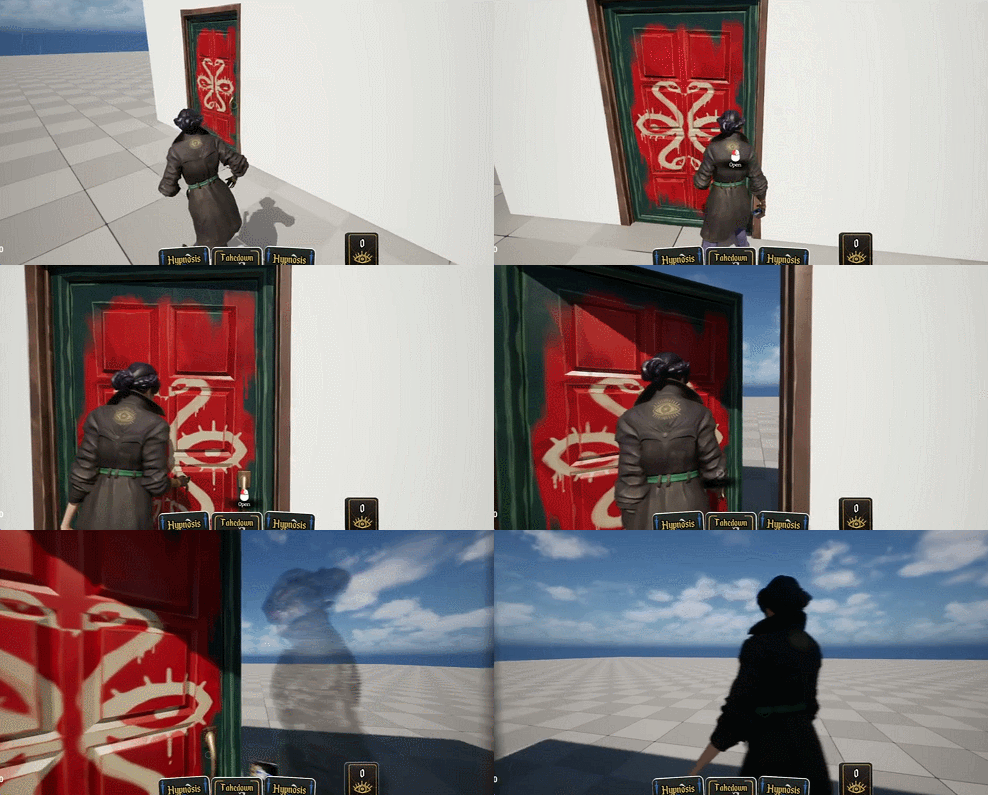
Every sequence being asset-ised in this way has a huge benefit: we can implement our interactions using the simpler up-in-seconds montage-based approach, and then later, if we need something more elaborate, we can switch those interactions in-place to a level sequence and do whatever we want without editing a single class.
There’s nothing fancy going on here – we’re just asset-ising a ton of boilerplate code – but the result is that it’s incredibly easy to drop in a fancy scripted sequence or behaviour. Our Patrol Routes already have the ability to notify certain actors when a patrol point is reached, so ContextAnims integrate seamlessly with patrols – something like “sitting in a chair for a while and then getting up again” can simply be part of a patrol route, and guys actually use animations to open doors now instead of just barging through them. We also use this to give the illusion of idle thugs “working”, carrying crates around and loading them onto trucks, for instance.
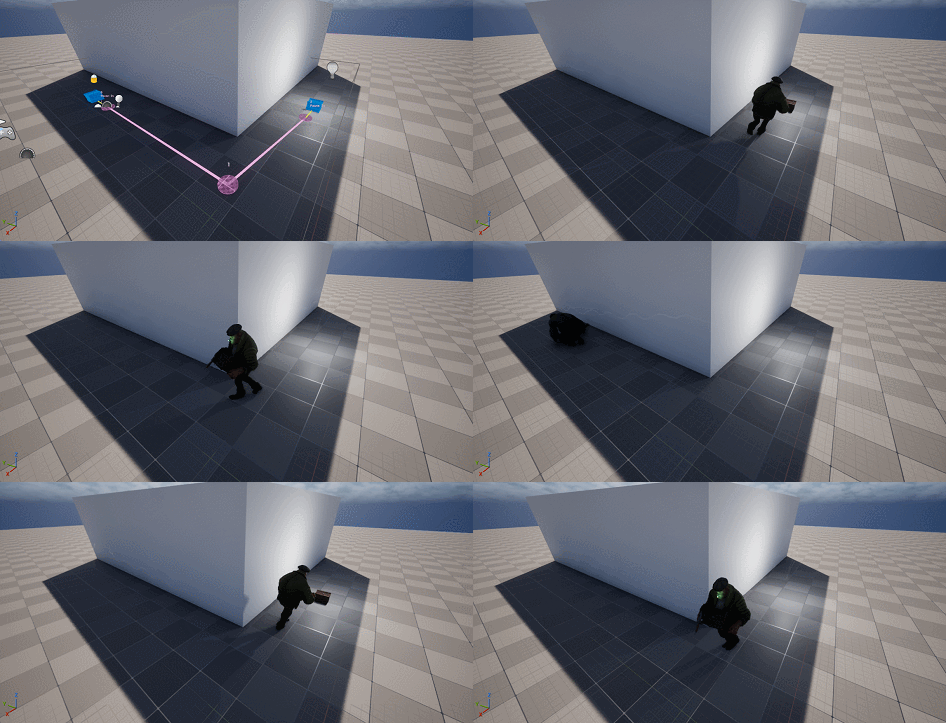
Debug Ghosts
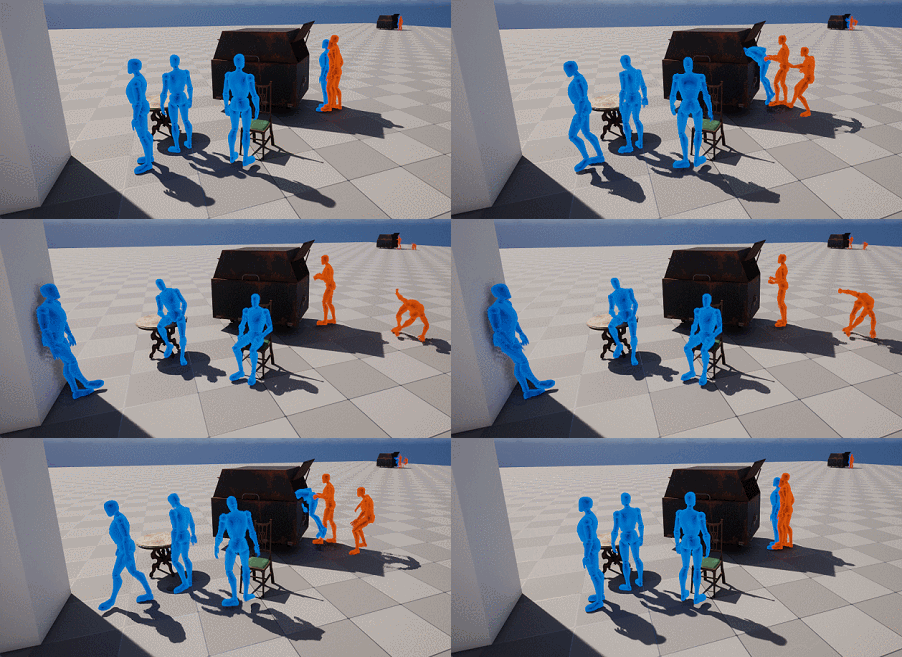
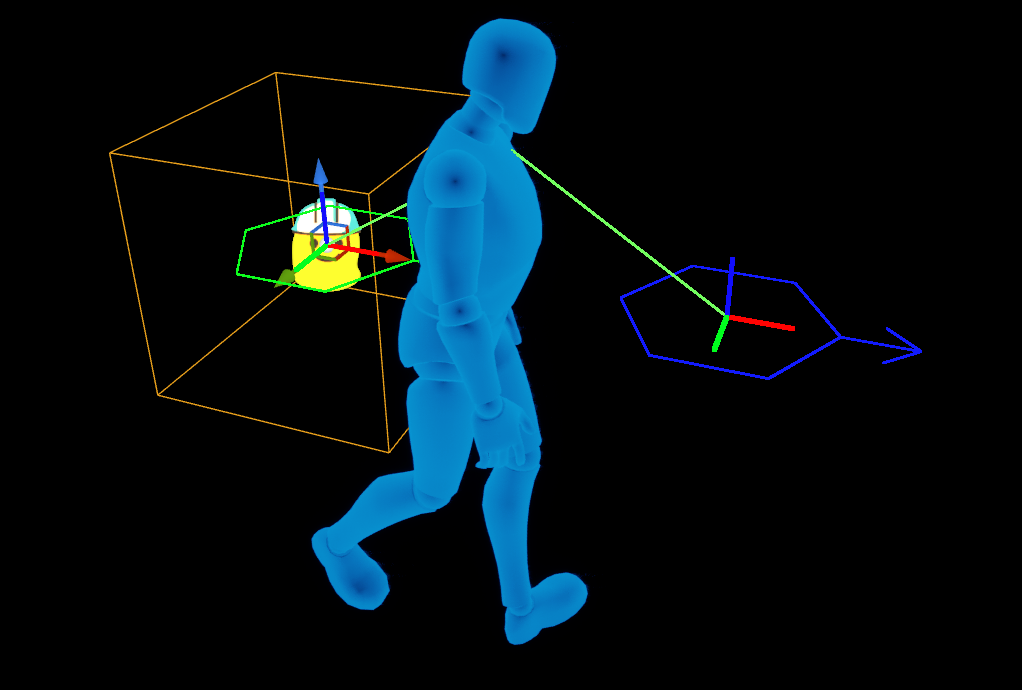
The element that makes this all incredibly useful instead of cool-but-still-finnicky is the debug visualiser: on the main editor toolbar there’s a slider that you can use to scrub through these animations in the editor viewport using a default mannequin. Every character is retargeted to this skeleton, so as long as this guy looks right, you’re ok; if a particular character looks wrong it’s a retargeting issue. We either show all these ghosts at once or just the ones for the actors you have selected. It means level designers can easily drop a “lean on wall” in a level with no ambiguity about where the guy will end up. Plus, these can live on actors as well – you could have every dumpster leanable-on-the-side-of by default.
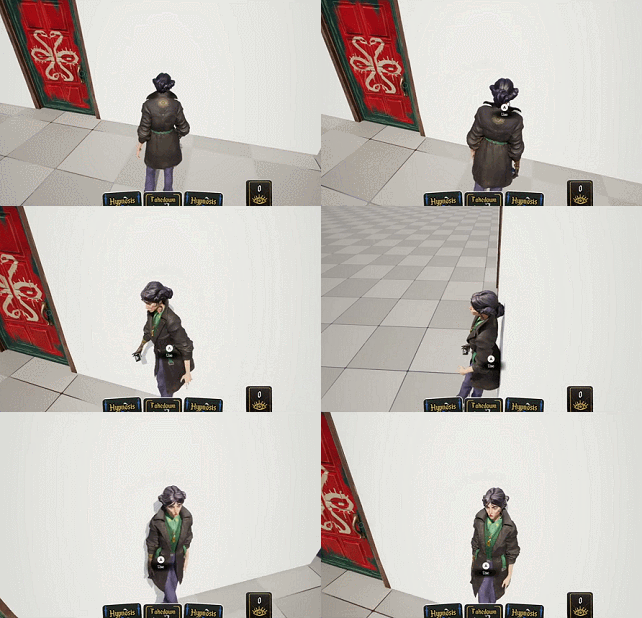
Because all this stuff is done in a character-agnostic way, all these actions can be taken by the player too – if we want the player to be able to click on a chair to sit in it, there’s nothing to it, and the “walk through door and close it behind you” sequence seen above is the same one the NPCs use:
Leave a Reply