
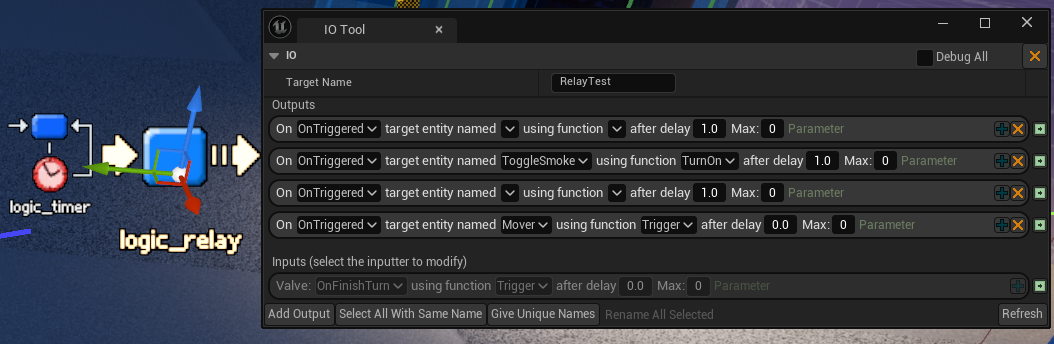
This week I built a Source Engine style input/output (I/O) system for level scripting in Sleight of Hand, and if you don’t know what that is or means, you have that in common with most game developers. (Update: It is now available). It’s an astonishingly useful thing to have on any game with level scripting (it’s how Valve’s games do it all the way from Half-Life to Half-Life Alyx). It’s empowering to level designers, and the time and work it stands to save you is unquantifiable but immense. It’s also simple and easy! I’m gonna jot down here how mine (in Unreal) works, but also make a case for the feature in the first place, because like all the most impactful good ideas, most people don’t see the point right away. Alas, I fear I will have to use headings.
What’s an IO system anyway?
An I/O system is super simple:

- Every entity has a
TargetName, which need not be unique. You could have 3 doors namedExampleDoor. - Every entity (actor, gameobject, whatever you’re callin’ em) has a set of incoming events that can be triggered as an Input, and outgoing events that can trigger an Output.
- A door might have inputs
Open,Close,ToggleOpen,Lock,Unlock. MaybeBreak. - A door would have outputs like
OnOpened,OnClosed,OnFullyOpened,OnFullyClosed, etc. - A light would have
TurnOn,TurnOff,Toggle;OnTurnedOn,OnTurnedOff,OnToggled, whatever.
- A door might have inputs
- Every entity placed in the world can have a series of Outputs. This lets entities talk to each other like so:
- “
OnPressed, thisButtonnamedExampleButtontargets entities namedExampleDoorusing the inputOpenafter a delay of1s.”
- “
You can also pass a parameter with each output, specify a MaxTimes for each output, etc. Ideally, your system makes it easy for programmers to add new incoming and outgoing events to each entity class, and really easy for level designers to set up the inputs and outputs. If you do this, you empower the fuck out of whoever is scripting your levels, and there are many non-obvious benefits as well.
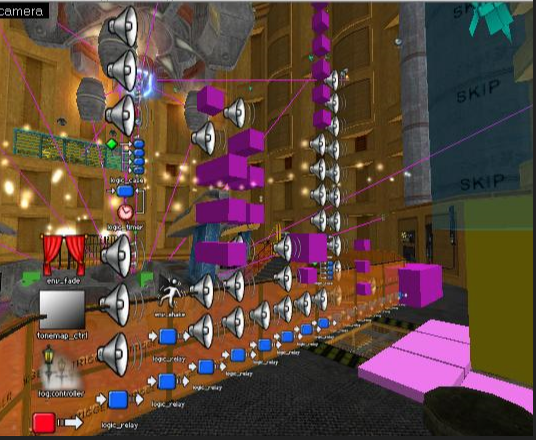
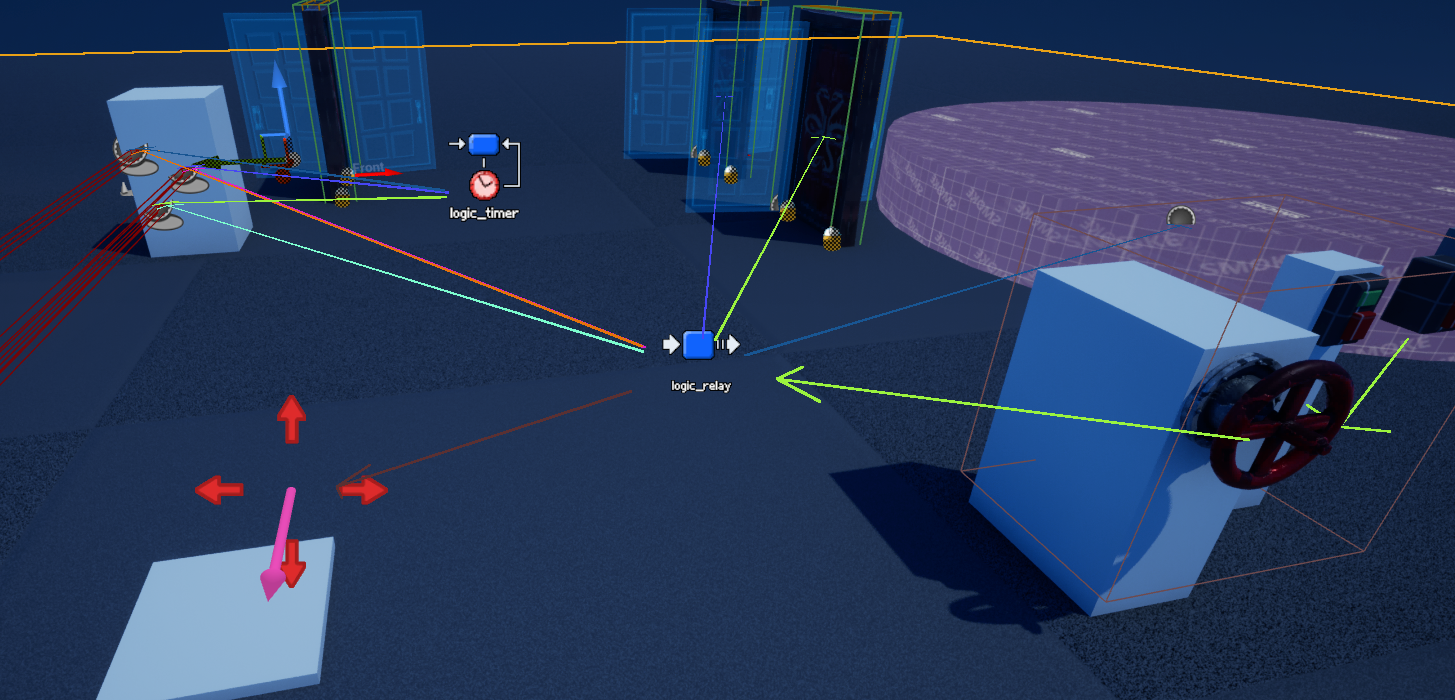
Another cool thing about this is that pure-logic entities, like timers and relays, get to be placed in the actual level at the relevant locations; if you have a door that opens and closes on a timer, you can see the timer right next to it. And you can trivially draw debug helpers that visualise the entire flow of a scripted sequence – draw a line from a button to the door it opens, or from a light switch to all 20 lights it controls.

Why? Why not just let them write code?
(Or in Unreal-specific language: why not just use the Level Blueprint?)
So in theory, sure: it’s cool to let level designers access actual code and script things that way. There are many good times to use the level blueprint (or level-specific code). However, if you’re doing that as a matter of course for things like level scripting and quest scripting, what you will definitely get, and probably don’t want, is mountains of special-cased and duplicated code.
Many things are bad about this. Code breaks as systems shift underneath it – nothing is one-and-done with code, and that goes double for code that’s embedded into content. It’s hard to test exhaustively for bugs that could be anywhere in a level script – it’s hard to even know when to test. This should be obvious, but you’re also making really inefficient use of a person if they aren’t a programmer and you have them programming.
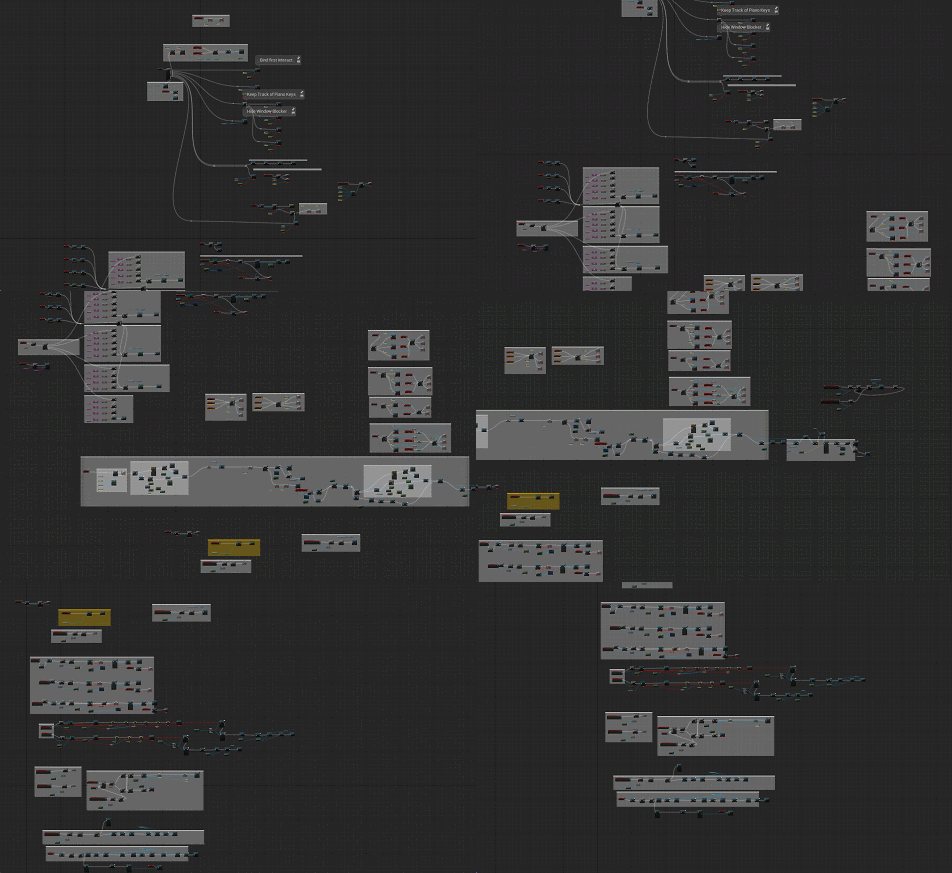
What you really want is a situation where whoever is scripting your levels isn’t expected to operate outside their skillset and isn’t taking on a maintenance burden and isn’t working in a delicate format. You want to be generating complex interactions without generating code. You just want data.
Do that, through whatever means, and all your problems disappear, including ones you didn’t know you had – you’re not building up more code than you need to, everyone is working faster, everyone is more likely to just try shit, everyone is riffing. People can prototype new ideas. Requests for new gameplay become fundamentally more feasible – you start being asked for little building blocks, not whole new actors or systems.
Most importantly, these scripts are authored once, and are not brittle. If a level script breaks, it means a programmer broke something with the generic components that comprise the script, and when they fix it, it’s fixed game-wide. You can open a Half-Life 1 level in Left 4 Dead and the doors and buttons still work.


Fiiiiiiine. So how’s this work in Unreal?

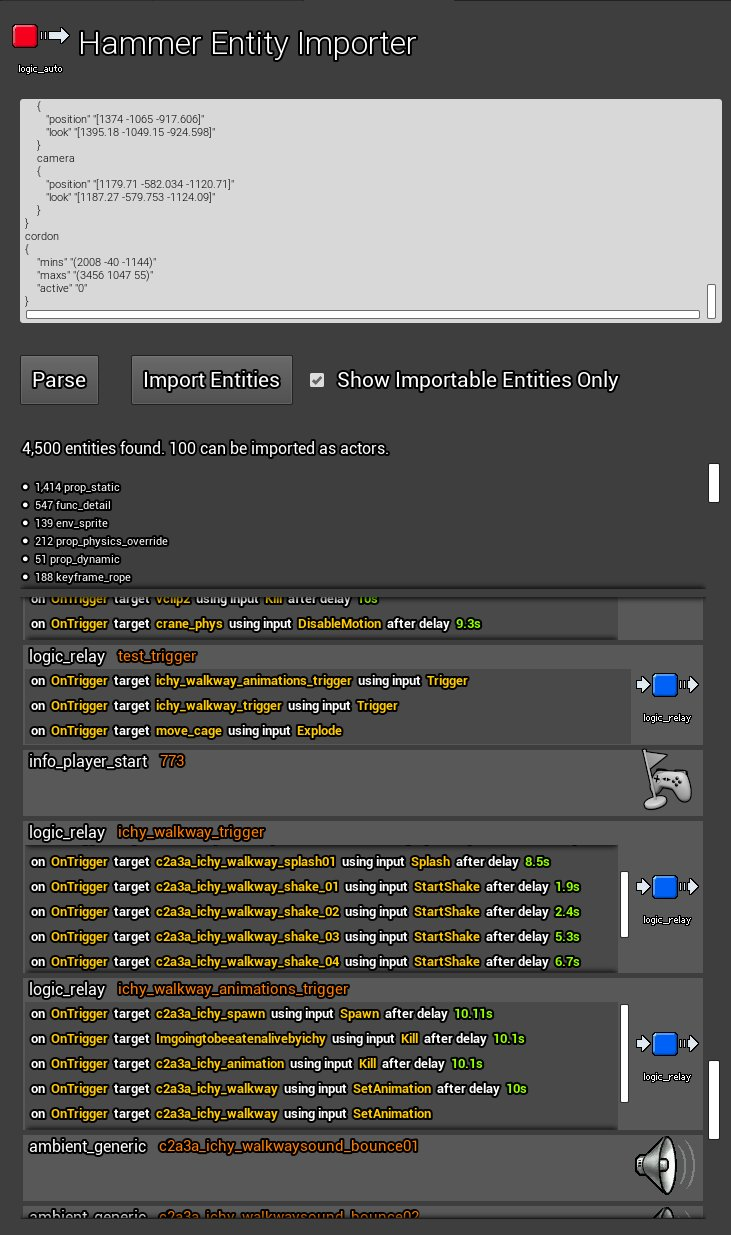
This is my second I/O system. The first, I did in a day or two many years ago just to amuse myself – it could even import Source Engine I/O scripts. I didn’t use it for a game, but Ari Velazquez did. At the time, there was nothing else like it for Unreal, but these days there are a few things floating around.
The popular one I see people talk about is ActorIO, which I looked into using for Sleight of Hand (it’s free!) but having tested it I was unsatisfied – it has a few key flaws that I see as loadbearing:
Things I don’t like about ActorIO (soz to those folks, it’s just relevant is all)
Here’s how my system works:
- Each actor that wants to support I/O has an
IOComponent.IOComponenthas:- A
Targetname, the name by which this entity will be addressed by others. - An array of
IncomingEventsand an array ofOutgoingEvents. These are just strings.- These are filled out per actor class. So all Doors have the same events.
- An array of
Outputs.Outputis a struct, and this array is what the designer is concerned with (though they only deal with it indirectly through the tool UI). Outputs live on the actor placed in the level.Outputs contain:InputEventstring. OnTriggered, OnOpen, OnClose, OnExplode, whatever.TargetNamestring. The name of the other thing you’re talking to.OutputEventstring. The thing you want it to do. Open, Close, Explode, Dance, Ignite, whatever.Parameterstring. Optional, and parsed appropriate later into a bool, int, float, or whatever.Delayfloat. How long to wait after theInputEventbefore you do theOutputEvent.OnlyNTimesint. The output only fires this many times. Source hadOnlyOnce, this is nicer.
- A
- The
GameModehas anIOManagerComponent.- Could be a subsystem, but same difference (and I’m doing this all in Blueprint).
- Sends
outputsviaIOMessageObjects.IOMessageObjectis:- A
UObjectclass that takes anOutputand aTargetactor.
- A
When an actor is ready to let the IO system know that it did something, it just calls TriggerOutputsFromEvent on its IOComponent with the string for the event:
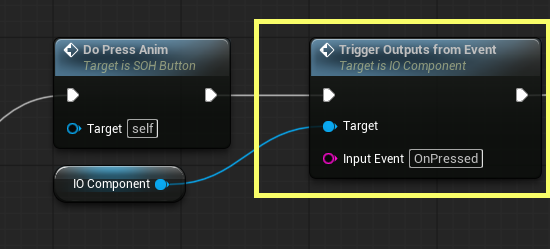
With that and OnPressed existing in the OutgoingEvents array, that’s all the setup for the “I pressed a button” event. The UI accesses these arrays to populate its dropdowns, so you never have to type any of these strings as a user.
TriggerOutputsFromEvent simply gets any outputs matching the InputEvent, loops through them, increments the TimesFired entry (so we can skip it if it’s maxxed) and passes the output to the IOManager‘s function ReceiveOutput.

ReceiveOutput gets a list of all actors using the output’s TargetName – eg, if you pressed a light switch, maybe this is all the lights called “mylightswitchlights” – and for each, constructs an IOMessageObject, passing in the output. We also add these to an array and call Init on them.
To get that list of matching actors, by the way, we just access a tmap which maps names to arrays of IOComponents. To fill that array in the first place, each IOComponent registers itself with the manager on spawn. So we never have to loop through a list of actors to find the ones we need – we already have those references.
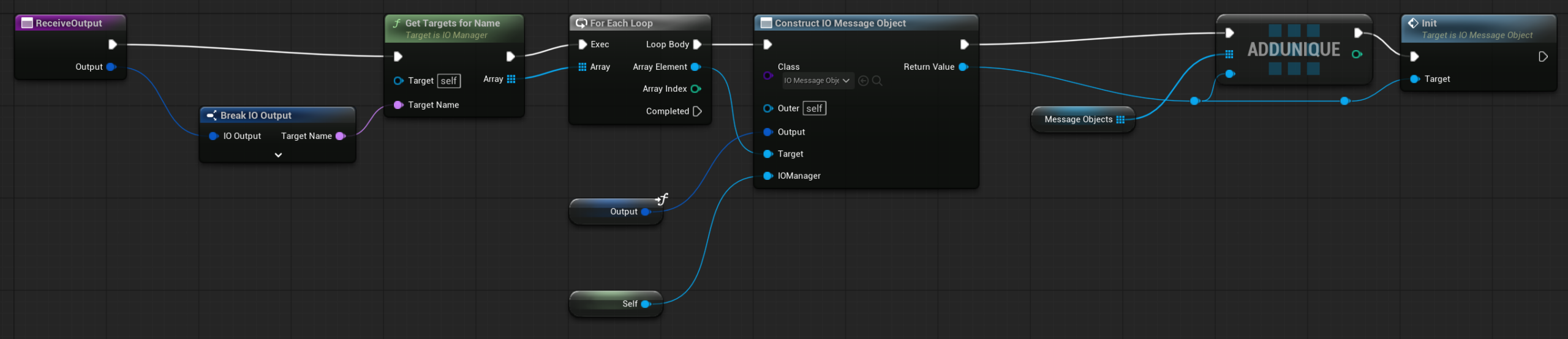
The IOMessageObject‘s function Init, if there is no delay specified, simply calls ReceiveInput on the target IOComponent. If there is a delay, we set a timer, and then do it. Doing this inside the IOMessageObject means that if we rapidly fire the same delayed output more than once, the delays don’t step on each other, and all arrive when the designer would expect. It also means that if the actor who sent this output dies in the meantime during the delay, it’s fine, the event still arrives. We then deregister the IOMessageObject with the manager – just clearing it from the array so it can be GC’d.
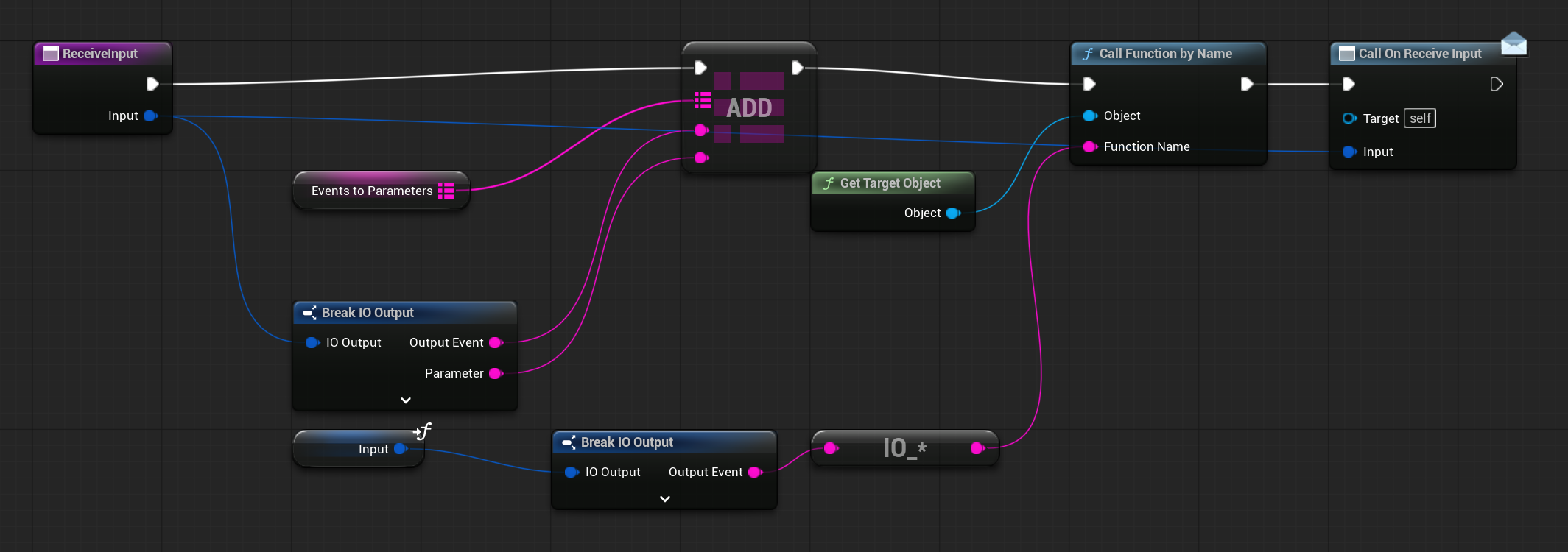
In IOComponent, the ReceiveInput function we just called simply calls the function by name – having first appended IO_, because I want any IO-specific function to be specifically named that way to disambiguate. We also add an entry to the component’s EventsToParameters tmap, passing through the parameter from the output so that the function we’re finally going to call on the recipient can access it. We also call an event dispatcher in case some blueprint wants to do something really specific with the output – hasn’t happened yet.
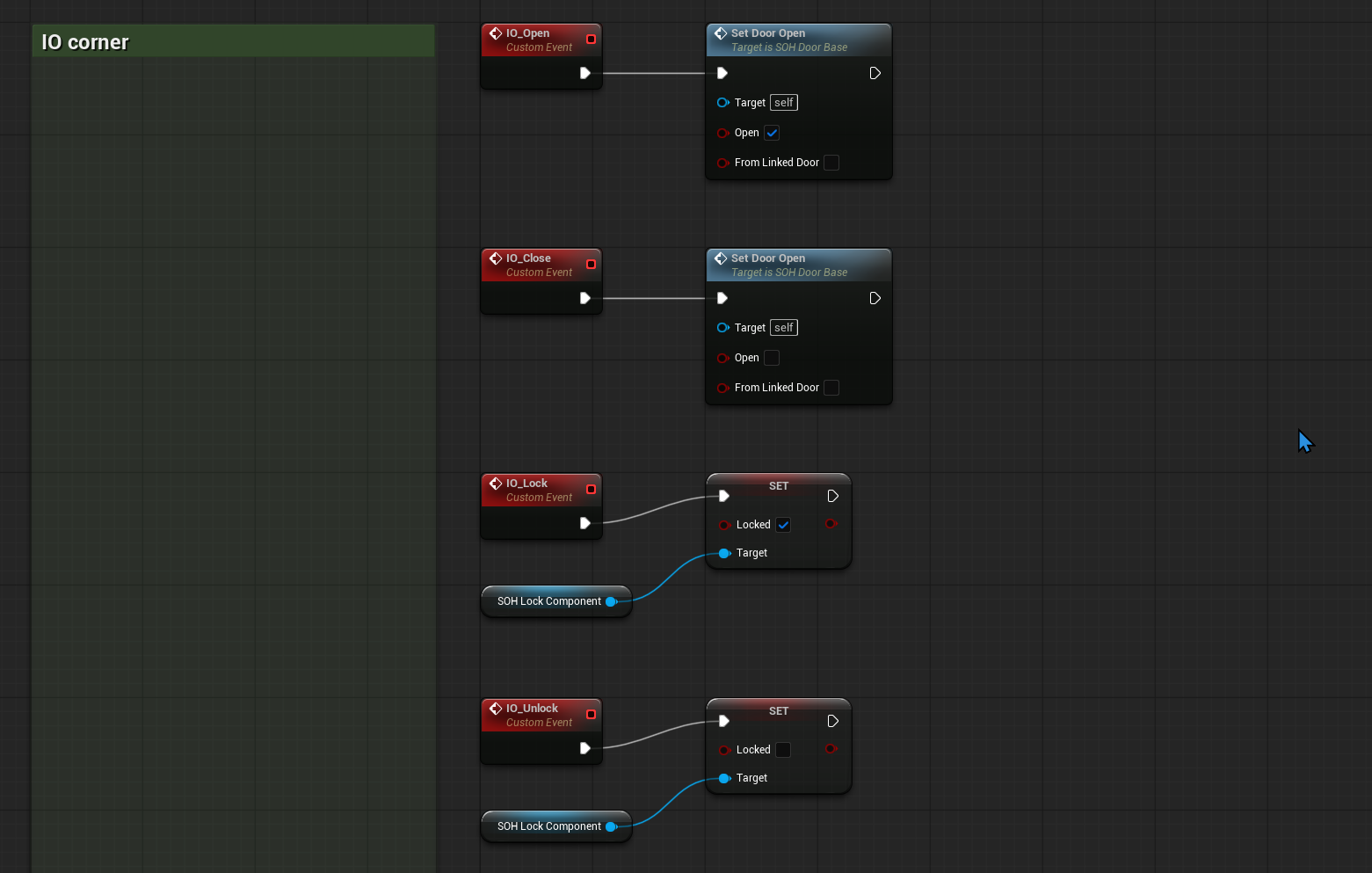
Finally, the event gets called on the recipient. It’s only ever a simple call to existing functionality, prefixed IO_ so we can’t confuse it with anything else. Setting up an actor for IO is this easy – just invent some verbs, add them to arrays and make an event node.
If an event does want to make use of a parameter, since it’s input as a string, it has to be interpreted as the desired type, which looks like this right now (the second picture being what’s inside the param node from the first one):


The Tool

So that wasn’t much code. By far the most code lives in the tool, which is an EditorUtilityWidget, but I’m not going to go into it since those are their own topic that’s pretty well-documented. If it looks intimidating, it isn’t – the core functionality took probably half an hour, most of it is extra quality-of-life functionality I’ve been throwing in all week, making things one click when they would have been four or whatever. The only gotcha (and the only part of the system that I needed any C++ for) was hooking into the editor’s undo/redo events to refresh the UI when that happens. I’ve documented that here.

It’s only been a day or two, but level designer Robert Yang is already doing cool shit, like garage doors that move using a generic scriptable “moves between two positions on demand” entity, and using that same approach, a cool fake vat-filling-up-with-grain effect. The neat thing about that is that we really wouldn’t need any code to turn that into a shippable effect – we’d just change the material and add some VFX. But it’s a whim. Without the system, he might never have asked or got a yes, with the system he can just do it. This stuff can ship, and it will never break in a way that’s hard to fix or is his responsibility to fix.
When I say the impacts of tools like this are hard to quantify, what I mean is simply that it’s impossible to compare two alternate futures, and sometimes that’s all that will satisfy someone. You can’t imagine what will occur if you give someone a new tool. It’s easy to imagine that nothing will happen, that the investment won’t be worth it, and often programmers by default take that thinking to such an extreme that they refuse to invest even a few hours in something that could be a revelation, because there’s no surety about it.
If you’re ever in the position of needing to convince someone to adopt a system like this, the next best thing, I feel, is to find examples of things that have been done by others that are unimaginable in your current workflow – if not technically, then in real “would this ever actually get done though” terms. A fun example is the part in Half-Life 2 where a crate is hanging from a pulley, and in order to get the crate you have to fix the pulley which is jammed with a barrel. It’s a one-off interaction that never repeats, and a coder was not required. All the Half-Lifes are full of these, wall-to-wall. Every breakable vending machine, every bespoke scripted sequence. As I’ve said at length before, that type of rarity is the juice, and there has been a juice drought on for decades.
“Hey could you just sell me your I/O system it seems good“
Update: Yes!
With permission from work I have polished this system up and released it as a paid plugin called JoeIO.
Leave a Reply