australian video game developer. worked on many games. usually credited as something like “systems designer” or “technical designer”. right now, “senior technical designer” at riffraff games. also i make tools and tutorials and resources and stuff. expert in the use of the unreal engine.
Argh, something bad probably happened and now you’re here. This sucks! Let’s get you started on the right foot though. Here is a bunch of information helpful to people new to Unreal whose experience is in Unity or something Unity-esque,
from someone who’s been shipping on Unreal for ~15 years.
“Where do I start?”
Read the documentation on the Gameplay Framework. All of it!
Unreal has a Gameplay Framework. Read the docs and get to grips with it. It’s the right choice for every type of game. Don’t skim it. Keep it on hand to read it again.
Get in a community of helpful folks. This will quadruple your Learn Speed.
There’s Alex Rose’s Discord For Former Unity Devs and there’s also my discord, which you are welcome in if you don’t be a jerk. These are small discords of ~1000 people. Past a point, the bigger the community the less useful it is.
Hit up the Epic Online Learning Library.
Here it is. Focus on the ones by Epic Games. The community ones can be good, but often aren’t.
Download the latest Unreal Engine through the Epic Games Launcher.
In general, you always want to start a project on the newest version. There’s also rarely any reason to use UE4 anymore – UE5 is better and has almost everything from UE4, and the fancy new stuff is all optional – if you want UE4 graphics, you can have them.
Check out Epic’s “Unreal Engine for Unity Developers” doc.
It’s a pretty good initial “oh god what am I looking at” document. Here it is.
Read this whole page.
I know there’s a lot of text here, but don’t skim it! This stuff is important! There’s a lot of bad info about Unreal on the internet, but not here. This is all gold.
It’s a list of accumulated miscellaneous Unreal knowledge. The kind of stuff you’d pin in your game dev Discord channel for a while and then it turns out you can only pin 50 messages on Discord so you make a website instead.
Most of this is probably not immediately useful to you as a beginner, but check it out now anyway – it’s helpful to know the sorts of things that are seen as helpful.
The scoops are actually hosted on a forum, Impromptu Dot Zone, which welcomes you also if you don’t be a dick.
Fuck around in order to find out.
Unreal is huge and misinformation is rife. You’ll never find good tutorials for everything.
Click on buttons to see what they do. Hover over things and read the descriptions. Identify terms that are unfamiliar to you and look them up. Go through the settings menus. Go through the plugins menu. Experiment. Make a mess. Don’t try to identify hard “rules”; everything depends on context. Don’t just try to make your project, make a project of learning.
Above all, do not try to learn using ChatGPT or any LLM.
It doesn’t work. If you think it’s working for you, you have a disaster coming. It may provide you an answer that appears, from a beginner’s perspective, to work and be correct, but it won’t provide the right answer. Remember: if you had the ability to discern between good and bad answers on a subject, you wouldn’t have asked the LLM about that subject.
Alright fine! Here are some tip videos, including 20 minutes of rapid fire tips from me and a couple from Chris Murphy from Epic.
I suggest watching these through immediately, even though it’s a bit overwhelming, just to get a sense of what sorts of things are there, and then coming back and looking again later when you’re more equipped to directly utilise the scoops.
Chris Murphy from Epic explains 35 features you probably don’t know about.
I show off a bunch of things you might not discover quickly on your own.
Chris tells you the Top 10 Unreal mistakes made by ex-Unity teams.
I explain some editor basics that people sometimes go years without knowing about.
I explain why you should turn the Class Viewer on.
“I have so many questions!”
Here are some answers to questions which are asked frequently.
What’s conceptually different about Unreal?
Unreal and Unity are not game engines in the same sense.
Unreal, idTech, Cryengine, Source, Snowdrop, etc are game engines that emerged from the process of large-scale game development. Unity and Godot didn’t, which is fine, but not the same thing, and using them is fundamentally different.
If you use the Half-Life Engine, you benefit from using the tools that shipped Half-Life; you don’t go in and write your own weapon system and networking and savegame system.
It’s the same way with Unreal, except you’re not just getting whatever Epic ended up with when making Gears of War – Epic spent 25 years supporting AAA licensees and building systems that would pretty much work for any and all of them, so that’s what you’re getting. It’s overpowered for what you need as an indie, but that’s good. You want to have more than the minimum available to you.
Don’t roll-your-own everything.
Check the system you want to make doesn’t exist already. If it does exist, but seems bad, you probably haven’t looked hard enough at it yet. They aren’t banging rocks together at Epic. You think you can make a better animation system or whatever, you’re wrong. Knock it off, you’re gonna hurt your team.
That said, not everything in Unreal rules. I don’t like Unreal’s Behaviour Trees, I think they’re really bad. I built my own AI system instead of that. Later they added StateTree, which is good, so I don’t use my thing anymore.
But I want to roll my own everything!
I love you but it is imperative that you get over it. There’s a place for that, and it’s somewhere else. Use Unreal or don’t – don’t half-use it.
Porting to consoles doesn’t need to be outsourced.
Unreal is built to target every platform from one project. Fortnite is on Switch, Android, iOS, Xbox, Playstation, PC, and maybe something else, and that is all built out of one project. You can do this too. For the most part it “just works”. Stuff like “make the textures lower res on the Switch, depending on the asset” is all built-in and easy, and elaborate tools are provided for deployment and profiling. I did the Switch port of Adios in a week. As long as the console people will hook you up with dev kits, you can do it all yourself.
Bear in mind you’ll have to go through the console’s signing process to get the secret source code you need to compile the engine for it. It tends not to be especially difficult. Whole engine’s on Github by the way.
You won’t use the Asset Store as much.
Unreal’s equivalent of the Asset Store used to be called the Unreal Engine Marketplace, but is now called Fab. There’s a lot of good stuff and a lot of bad stuff on there. In general, you need it less than you do on Unity, because more stuff is built-in. Like you don’t need something like Rewired; Unreal’s input systems are solid and work on every platform. There’ll be a lot of stuff like that.
Upgrading to the latest version’s not a big deal.
Most times you upgrade to the next version of Unreal you won’t run into any issues. Some folks like to hold off a little just to be sure.
For example, Psychonauts 2 started on 4.11 and shipped on 4.26 (the final version of 4 was 4.27). Staying up to date is good here. UE5 in particular generally gets more performant every version. In general, you are more likely to hurt your project by not updating than by updating too soon.
Unreal doesn’t suddenly remove important features.
When Epic deprecates a massive feature, it tends to stick around for a long time before actually being removed, and then you’ll have an upgrade path provided.
For instance, the current particle editor is Niagara. Before Niagara, for many years, there was Cascade. Cascade is still in the engine, but you should use Niagara, and there’s an automatic converter of your Cascade particle systems to Niagara.
Similarly, the animation tool Matinee (responsible for the cutscenes in Gears of War, Mirror’s Edge, Batman, Xcom, etc) was removed from the engine years after being deprecated and replaced with Sequencer, and to this day if you open a level that contains a Matinee it gets perfectly converted to Sequencer.
Unreal introduces new systems carefully.
If something new comes into Unreal, usually it’s initially marked Experimental. This means Epic don’t recommend relying on it for production. Eventually it will lose that label, and then it’s safe to use in a shipping game.
Presumably out of an abundance of caution, some features stay Experimental for a lot longer, even though they’re good to go and are used in many shipped games. Ask around if you’re unsure how safe an “experimental” feature is.
Also, all the new stuff is optional, it doesn’t replace old features. Lumen and Nanite are new and cool, but still optional. You can still bake lighting and everything’s still compatible with that.
Unreal doesn’t have multiple rendering pipelines with their own asset requirements.
You do have access to multiple renderers in Unreal, with different features – there are Deferred and Forward renderers for both Desktop and Mobile with various quirks (eg, you only get MSAA on Forward). But your assets don’t care about this – the renderers all look the same, and you can switch between them at will to figure out what best fits your project.
This is an engine with a history of making many expensive games you have played, which is useful in itself.
You know how in Batman Arkham Asylum you sometimes have to wait in front of a door while it security-scans you, but actually it’s loading the next chunk of level while you stand there throwing batarangs and it’ll take longer to scan you on a slower machine? That’s not something Rocksteady did, that’s just Unreal’s level streaming system they used for Gears of War. You can just use that.
If some game on Unreal ever did a thing you liked, there’s a good chance you literally have the code.
I heard a rumour!
I heard it’s hard to learn!
It can be! It’s huge and empowering, but it doesn’t do a good job of teaching itself. The UI is kept “simple” in a way that means there are features you just won’t discover unless someone tells you about them. The official docs are good, but as of recently the website you get at them through is terrible.
The official forums are not great, and the entire internet is filled with very confidently-stated misinformation, especially Reddit and Youtube. Googling worked very well until recently; now not so much. Ignore any video lionising or condemning any engine or feature, these things are simply not that simple.
If you can help it, you shouldn’t try to learn it alone. You should put yourself in some sort of Unreal learning community and ask a lot of questions. I’ve seen people go from zero to extremely capable (and hired) in a year, who attribute it to being in my discord.
I heard C++ sucks!
Maybe – only nerds know for sure – but Unreal’s C++ is pretty different to C++ elsewhere. It’s easier. Give it a shot even though you dread it. Use JetBrains Rider instead of Visual Studio. Visual Studio isn’t very good.
However, most games don’t, or barely, need C++ anyway. You can build and ship entire solid, maintainable, performant, complex games in Blueprint. Anyone who says otherwise is trying to hurt you.
The most important thing is not to be dogmatic. C++ and Blueprint both have their place. If you find yourself insisting that someone move all their Blueprint to C++ “for performance”, you have become the villain. Nativisation is not always optimisation, and performance is not the only thing to be optimised for.
I heard Blueprint sucks!
Blueprint actually rules. Look, I get it – why would a visual scripting thing be good? They’re all shit! I agree.
Blueprint is the only one that’s any good. It’s amazing. It will also help you learn the engine. Everything you do there will be applicable to C++. No matter who you are, you should start in Blueprint. It’s 100% true that you can build an entire game in Blueprint. Yeah, with multiplayer. Yeah, performantly. Yeah, maintainably. It’s not just for rapid prototyping.
Be a snob about Blueprint at your peril. I’ve helped a lot of people get good at Unreal and get hired for it, and Blueprint-related recalcitrance is the number one way people screw themselves – without realising, they sentence themselves to months of wasted time and frustration only to mould themselves into the type of Unreal user who sabotages any team they’re on. Swallow your pride and look at some nodes.
I heard the level design tools are bad!
You probably heard that from me. There’s a way to go, but things have gotten a hell of a lot better, especially in 5.3. Check out that link for some scoops on the tools CubeGrid and MeshTool, which are both excellent and work well together.
If you’re on 5.5 or later, there is an incredible new level design tool called Scythe. You should get it. It’s an absolute game-changer.
I heard Unreal is geared towards first person shooters and it’s a struggle to make something in my genre!
This isn’t true. It was sort of true at first glance in the first half of UE3. By UE4 it wasn’t true in any sense. Somebody’s lyin’.
You can make anything in any genre with equal ease. If in doubt, look up the Wiki list of Unreal Engine games. Nobody there had to go out of their way (or outside the Gameplay Framework) to do their thing.
What if I don’t want fancy graphical bells and whistles? What if I’m not making something in a realistic style?
That’s all fine. The fancy graphics in Unreal are easy to disable, and you still get the benefit of their fancy tooling.
Unreal also doesn’t limit the types of styles you can go for. You can do anything. “Physically based rendering” doesn’t mean you have to work in a realistic style. That’s not even what it’s for! Monsters University was PBR.
Can I make a 2D game?
Yeah, totally. Just make a game as usual but with an orthographic camera.
If you want sprites instead of animated meshes, there’s a system called Paper2D for dealing with sprites, and it doesn’t get a lot of updates or do much with animation, but there’s also a system called PaperZD (on Fab) that does a lot more. As of 5.3, all the latest rendering features work with orthographic – lumen, virtual shadowmaps, etc.
Can I make a game that’s playable in the browser?
Not really! There used to be HTML5 support, but it wasn’t great, and got deprecated a few years ago. Other than Pixel Streaming, you don’t have much recourse here unless you want to implement it yourself. So that sucks.
I heard you can’t make a build that’s less than a billion megs!
Out of the box in UE5.3, if you disable all unnecessary plugins and package a nearly-empty project, it’s like 120mb. On UE4 that was more like 75mb. There’s a lot more you can do to reduce file size – this is just what I’ve done personally. If you search, you should find some good tips for this. Some folks have got it way lower.
I heard it’s a hassle to develop on/for Linux and Mac!
Not really! There were some Mac CPUs that weren’t properly supported until recently, but they are now. You can download the editor for Mac through the Epic Launcher just like PC, or for Linux, go here. For me, Linux support has been good; the one thing that’s annoying about it is you can’t cross-compile Windows editor binaries on Linux, or vice versa, so if you’re working on Linux but have Windows colleagues who need you submitting binaries for them, it’s a problem.
I heard there’s a stuttering issue that every UE5 game has?!?!
This is outright misinformation. Do not trust anything a man on Youtube tells you about UE5. You might be okay if he doesn’t have a webcam. If he has a moustache, fucking run. These guys have no idea what they’re talking about. Why would they? They’re youtubers!
The sorts of stutter people are talking about are easily fixed: use manual PSO caching and order your pak file. Beyond that, be thoughtful about what content you are loading and when. All engine-agnostic issues.
I’m worried about this whole situation!
Isn’t Epic going to end up screwing me over in some way?
You should never trust a big corporation, but Epic have historically not fucked their engine users. Unreal’s EULA stipulates that if the EULA changes, you don’t have to agree to the new terms; as long as you stay on the version of Unreal you’re on. Combined with full access to the source code, this probably means you’re pretty safe, even if you’re developing for consoles – Epic keep old versions of the engine working with the latest console SDKs for a long time.
For many years, engine licensing was Epic’s primary business, and they were excellent at it, so there is certainly more awareness of their userbase than you see from Unity, and since Epic still eat their own dogfood, the engine and the environment around it are not as prone to decay.
Anything can change, so keep an eye on ’em, but you should be alright. I will update this page if they fuck up.
What’s the payment situation? 5% gross doesn’t sound great!
It’s free until you make a million bucks USD, and only after that is it 5% gross, and only in quarters where you made more than $10,000 USD. So most folks never end up paying anything. There are no subscription fees or anything. To clarify, if you make a million bucks, and then one dollar, you only owe them five cents.
This is all per-game. If you make ten million bucks on Game A, you’ll have to pay 5% on 9 million, but then if you make Game B, you pay 0% on that until that makes a million bucks.
If this still sucks to you, you can talk to them about a custom license with custom terms. There’s an email link on their website somewhere. Terms are confidential, but the word on the street is that this would tend to be some form of “let me pay more upfront to reduce or eliminate my royalty”.
Make sure you fill out the Release Form when you release your game. Otherwise you might have to pay royalties sooner than $1M, apparently. Takes five minutes.
What’s the deal with platforms? Consoles? Epic Launcher?
You can put your games on any platform or console, they’re all well supported, and nothing is mandatory. If you sell on the Epic Games Store (for some reason), those sales don’t contribute to the revenue thresholds above. Porting to consoles is easier here than on other engines. Platform-specific functionality like achievements tends to be implemented for you with very little setup required, with the most annoying platform to set up actually being EGS (how embarassing).
Do I have to put the Unreal logo on my stuff?
No, in fact if you want to use it, you have to fill out a form and they can reject you. You do still have to put a “this uses Unreal Engine, copyright yada yada”, etc in your credits.
Doesn’t Tencent own Epic or something?
They have some non-controlling amount of shares. The way I’ve had this explained to me is Tim Sweeney owns the majority and nobody else gets any real say in anything. Tencent did invest though and do own part of it.
Tencent sort of owns the entire industry – most companies owned by them just don’t mention it much.
Does Epic pay you to make resources like this?
They don’t! They should. This is bullshit, honestly.
The reason I do it really is that I’ve spent a lot of time over the years helping people out and sharing this type of knowledge, but usually just conversationally, and there’s a limit to how many times you can say a given thing before fatigue makes you just stop being as helpful on that subject. So it’s better to do something like this.
You could send me money if you wanted, or there’s a patreon. I would appreciate it.
Isn’t Tim Sweeney crazy now or something? He talks like he’s fucking crazy now.
The only thing we know for sure is that every Unreal user braces themselves when Sweeney opens his mouth and groans whenever he says anything. He’s a lousy figurehead, but doesn’t appear to affect the engine very much. The more he talks the more “you never have to agree to new EULA terms” becomes a loadbearing pillar of the engine, but so far there have been no dev-facing disasters.
Isn’t this UEFN stuff super gross and unethical and potentially going to make me regret getting involved in Unreal at all?
It’s certainly gross! I personally think it’s such an on-its-face-terrible idea and being implemented so poorly (not at a technical level – that stuff is impressive) that Epic are at some point going to collide with reality and have to pull their heads in. They’re big enough to survive something like that, and I hope they do, and bring more of their focus back to non-predatory software. In the meantime, all that stuff is very separate from Unreal development itself, and you will be unaffected by it unless you choose to engage with it for some reason.
blog posts of mine that are concerned in part with the unreal engine:
I guess they just had the State Of Unreal at Unrealfest, and as predicted, it was a real fuckfest full of dogshit. Unrealfest is usually a fun event, but by all accounts the vibes at this one were not great, which is what you get when your opening keynote is about the war you’re declaring on creativity and how your event’s most passionate attendees will be first against the wall. What they’ve done – incorporating generative AI, deprecating Blueprint and pushing Verse – is what you would do if your mission was to sabotage Epic’s business as completely as possible while causing as much collateral damage as possible. It’s genuinely absurd, beyond belief, the product of AI psychosis and the regular-degular psychosis everyone saw Tim Sweeney’d started incubating at his Steam Dev Days keynote back in 2016.
This is existential threat level stuff for the engine, certainly for Unreal as a brand. It’s propelled Unreal into the Unity-a-few-years-ago realm of almost total uncertainty. People don’t know if it’s even safe to use it or train in it anymore. Here is the Actual State of Unreal as declared by me, someone saner than Tim Sweeney. Skip to the end for the facts on “should I still use it”.
It’s now been over 10 years since I started getting a reputation for bitching and moaning about the state of Level Design Tools, starting with my first talk-into-mic youtube video, Level Editing In UE4 Needs To Catch Up To Quake 1, and then a bit later the wider-ranging sequel Ruminations Upon The Insidious Ubiquity Of Modular Mesh Based Level Design, both of which were, as I say in the second one, “well-received except where they were received horribly”. I’m relieved not to find these particularly cringey now if ever I watch them – I was a baby but I was right.
At the time, responses were split between confused anger and “finally somebody says it” exhausted relief. Over the years the former type have dissipated and the latter keep on rolling in; I rarely feel anymore when this comes up that I need to push these points. Maybe these worked and my point got across. I know they kicked off a lot of arguments.
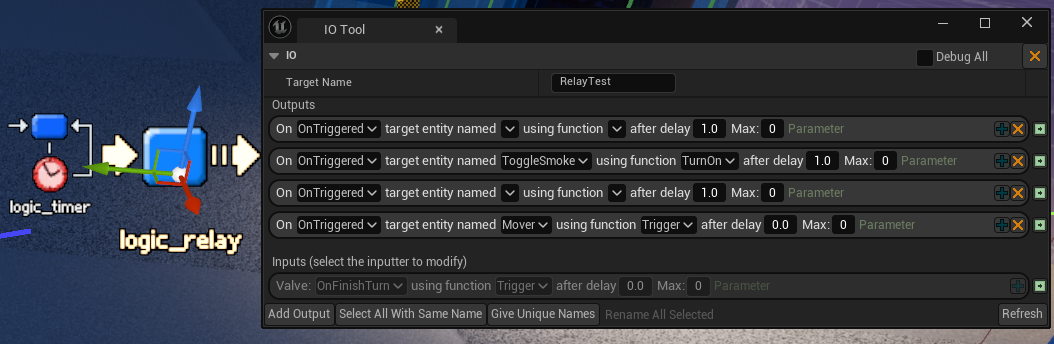
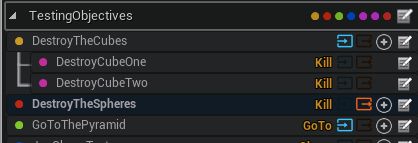
The level scripting system I described building in a previous blog post is now available to buy, and it’s called JoeIO, so you can use it in your games. It’s for letting level designers go nuts with level scripting mostly without having to go through programmers or write code themselves.
That post is now ✨documentation✨, since not much has changed, and I have a new video below.
This week I built a Source Engine style input/output (I/O) system for level scripting in Sleight of Hand, and if you don’t know what that is or means, you have that in common with most game developers. (Update: It is now available). It’s an astonishingly useful thing to have on any game with level scripting (it’s how Valve’s games do it all the way from Half-Life to Half-Life Alyx). It’s empowering to level designers, and the time and work it stands to save you is unquantifiable but immense. It’s also simple and easy! I’m gonna jot down here how mine (in Unreal) works, but also make a case for the feature in the first place, because like all the most impactful good ideas, most people don’t see the point right away. Alas, I fear I will have to use headings.
A tool I made a long time ago with a little help from the excellent Turfster is my Vector Field Painter, made to be used in VR. It’s a standalone application that’s basically a VR game where you use your hands to “paint” direction and magnitude into a 3D vector field, preview the result using particles, and output it as a file to be used in your own games or whatever; things like particle systems in Unreal. I’ve occasionally heard of someone seeing it in use at their work, including someone at Double Fine during the development of Psychonauts 2. Presumably it was the lynchpin of the entire project.
At the time (eight years ago apparently???) you’d see vector fields thrown around a lot to do impressive but not-that-interesting things with big clouds of particles. It was clearly a cool data type (weird thing to say) but I was mostly seeing fields that were random or barely-directed noise, generated by some Maya script, and my suspicion was that this was just because there was no good way to author them “by hand”. It’s 3D data, so even click-dragging through a cloud of points (which nothing would let you do anyway) was bullshit. Painting them in VR seemed like the obvious answer, although I still appear to be the only one who has made such a thing.
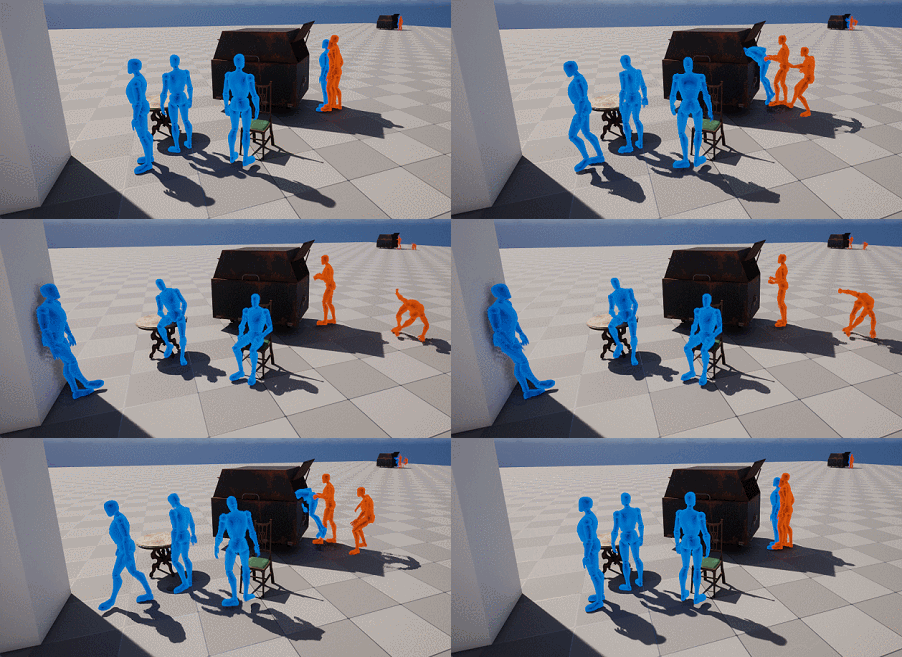
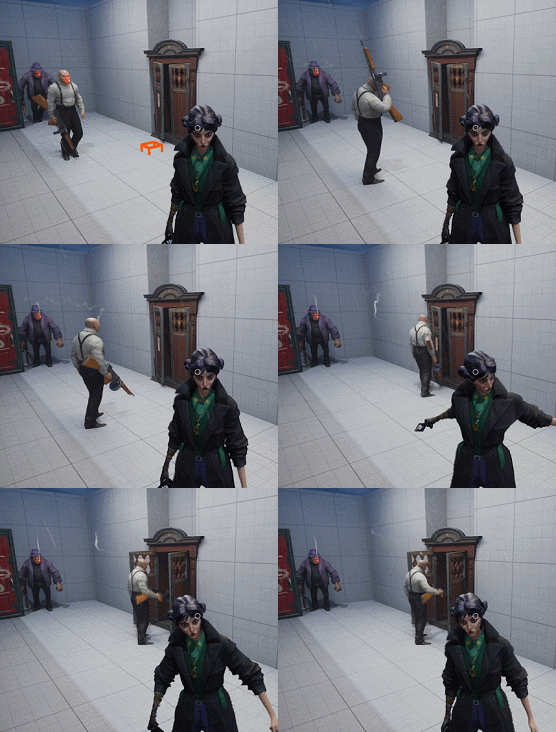
I’ve been working for the last week or two on a system to streamline contextual or scripted animation stuff in Sleight of Hand, a stealth game with a lot of systemic interaction aspirations. I built an interest source system a while back for coordinated investigations and dynamic behaviours, and while some of those interactions have been doing cool stuff on the animation side (a guy might rip open a wardrobe you’re hiding in, for example), it has tended to involve a lot of more-or-less-boilerplate Blueprint every time; it’s not been as easy as it should be to drop in what Half-Life called a “scripted sequence”. This fortnight’s work has improved this a great deal, and I’ll tell you for why, and perhaps you will benefit from doing something like this yourself.
I just completed Gears of War 1 Reloaded, a remaster of a remaster (lol same), and it ends with a train level. It’s the usual thing, a mostly-static level pretending to be a moving train by deploying various illusions, but since it’s possible that Sleight of Hand will ship with one of these, I was curious as to details of the exact approach taken in Gears. Then I remembered the original Gears 1 shipped with the editor, so I could just open it and find out! So I did. No surprises, but it’s always fun to look at stuff like this anyway. Here’s a video about it.
I’ve worked with a few “target-based” contextual interaction systems for NPCs on different projects, they’re one of my favourite things to make, and lately I’ve been making one for Sleight of Hand, a stealth game I’m working on at RiffRaff, deets of which I shall here now divulge. Everyone calls these objects something different: at Wolfeye and (I think) Arkane they were Distractions, I’ve also heard Smart Objects and Chores, but I call them Interest Sources on account of I first read about them in a technical article about Mark Of The Ninja while working on The Siege & The Sandfox, whose interest system I also made.
The idea is that, compared to other AI behaviours, these interactions are “inside out”, in that everything particular to the interaction lives on the object being interacted with (a noise, a chair, an alarm button); the “brain” of the NPC only “knows” how to use interest sources “in general”. This confers design and workflow riches beyond imagining.
Some years ago I did a quest scripting tool for an ill-fated open-world game I was contracting on. It was ages ago now, the project’s concluded, and nothing here identifies any of it, so I’m sure nobody’ll mind if I talk about my approach a bit here.
My number one concern when creating tools for designers, especially on a larger team, is to minimise the need for interaction between design and engineering in a way that’s comfortable and safe for all concerned, because even in a (rare) best-case social and technical scenario, if designers need to go through engineers to pursue ideas, those ideas will mostly just not get pursued.
The Weird West side project (called Overdrive) that I started working on some time back is something I rarely find the time to advance, despite having a lot of ideas about, but lately I have a little bit. The other day I smashed out a conversation system!
I really love the result (video below) – I want to get some gesticulations and walking-around support in there, but it’s otherwise where it needs to be, aesthetically and ease-of-use-wise. Easily writing scripts that then automagically become convincing-enough conversations between npcs/the player is such a pleasure.
The recent Metal Gear Solid 3 remake uses a lot of Quixel Megascans (a mostly-free library of ultra-high-fidelity photogrammetry), which I don’t think matters at all in itself, but it’s funny that the bit of wood Snake bites down on when he splints his elbow is 100% identical to a plank you roll over all the time in InFlux Redux, and it’s interesting how a game full of such bespoke assets gets a remake that isn’t.
In a photorealistic-ish style, maybe it doesn’t really matter anymore whose “photos” (or scans) you use for commonplace objects. But it doesn’t feel great that everything onscreen was once a bespoke work of art in itself, and now mostly is not, in what is notionally a faithful remake.
The first feature I worked on at Wolfeye when I came on board as (what ended up being credited as) a Systems Designer/Technical Designer was the vultures. As well as being ambiently cool, the vultures play a role a bit like the rats in Dishonored, showing up when there’s dead stuff around and conveniently disposing of corpses (which is probably noncoincidental, Wolfeye being ex-Arkane, although I don’t remember if we talked about it). This was a convenient place to climb onto the project because it was a pretty standalone system; the other systems mostly didn’t need to know about the vultures.
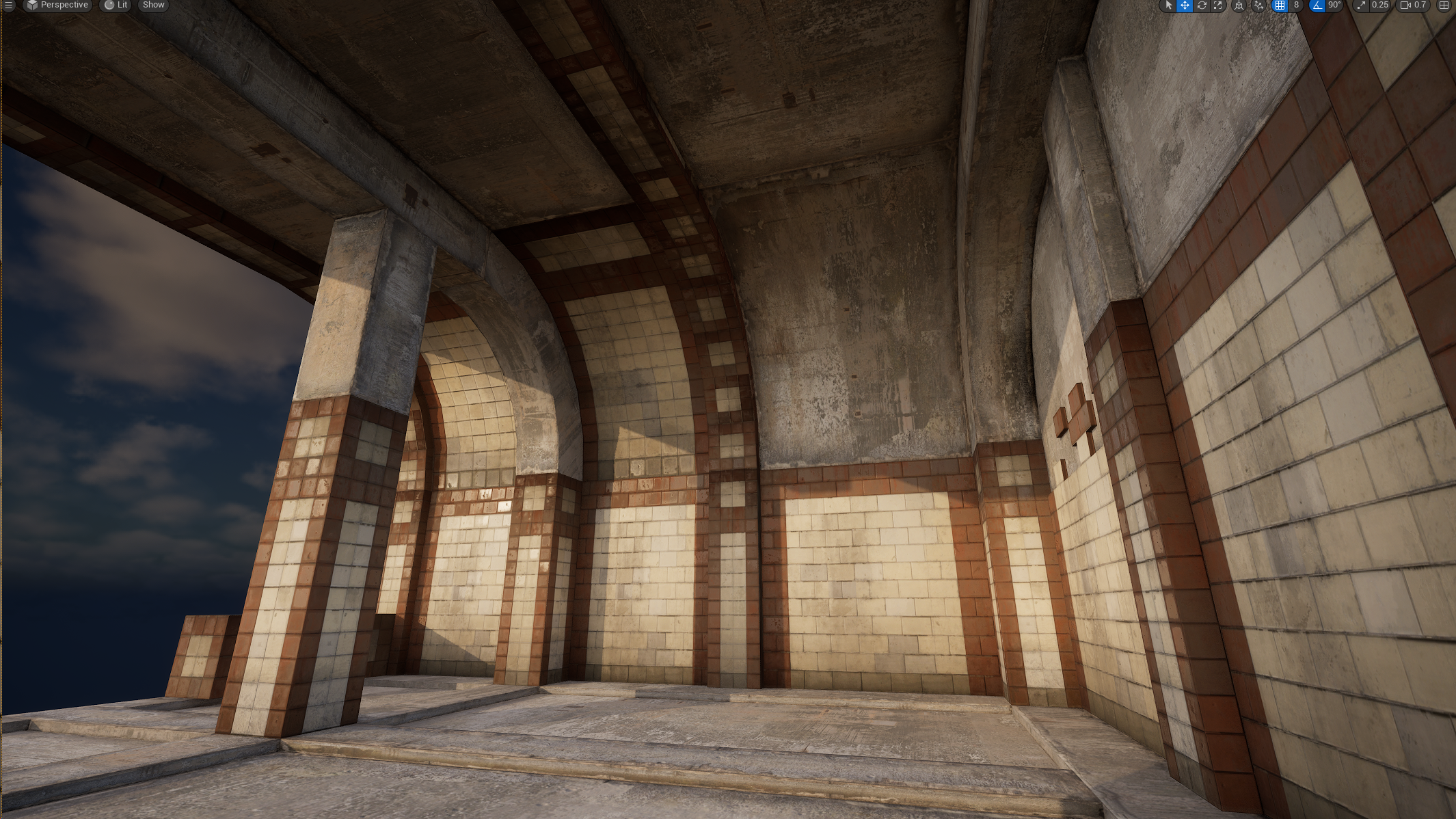
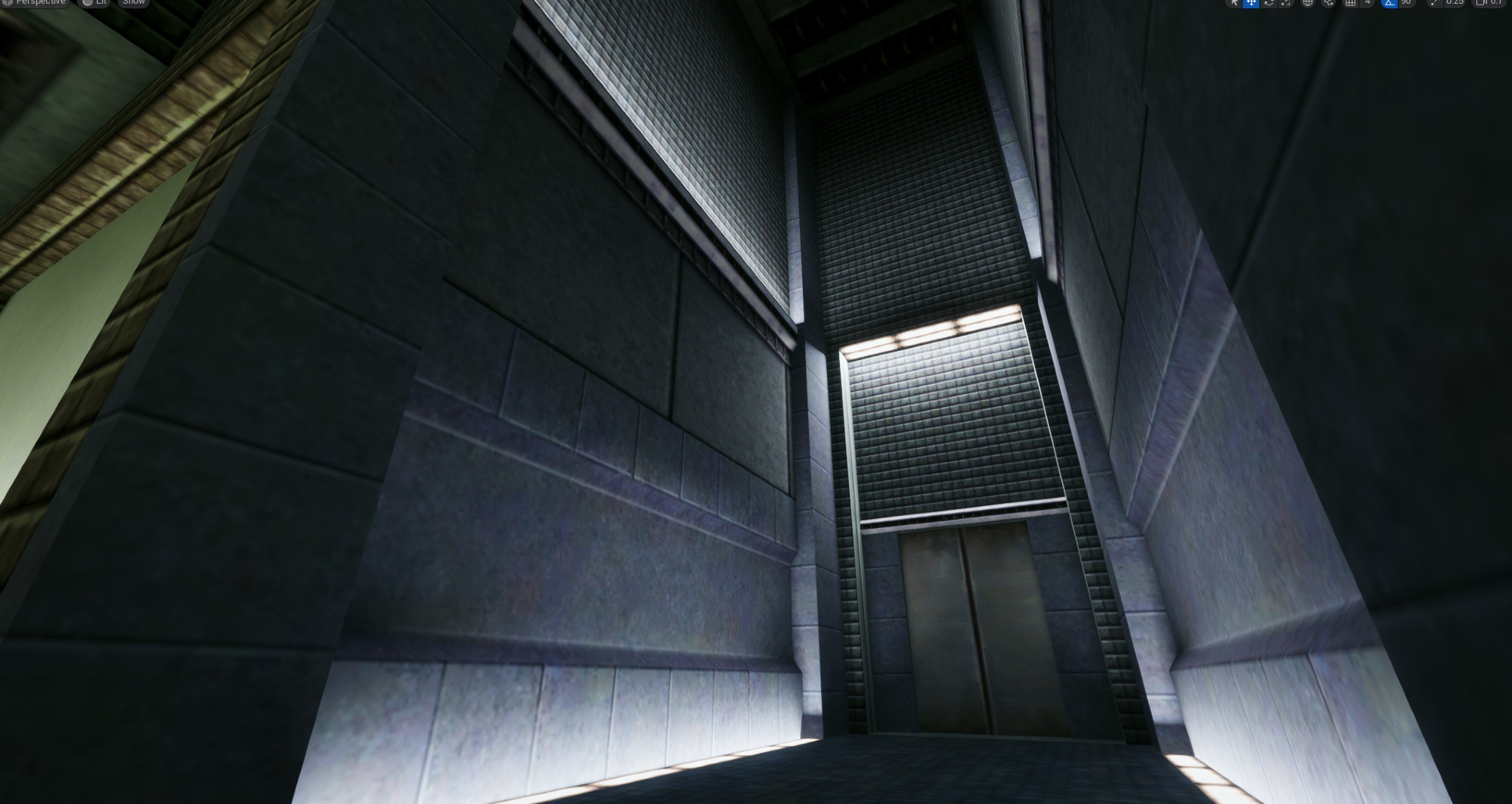
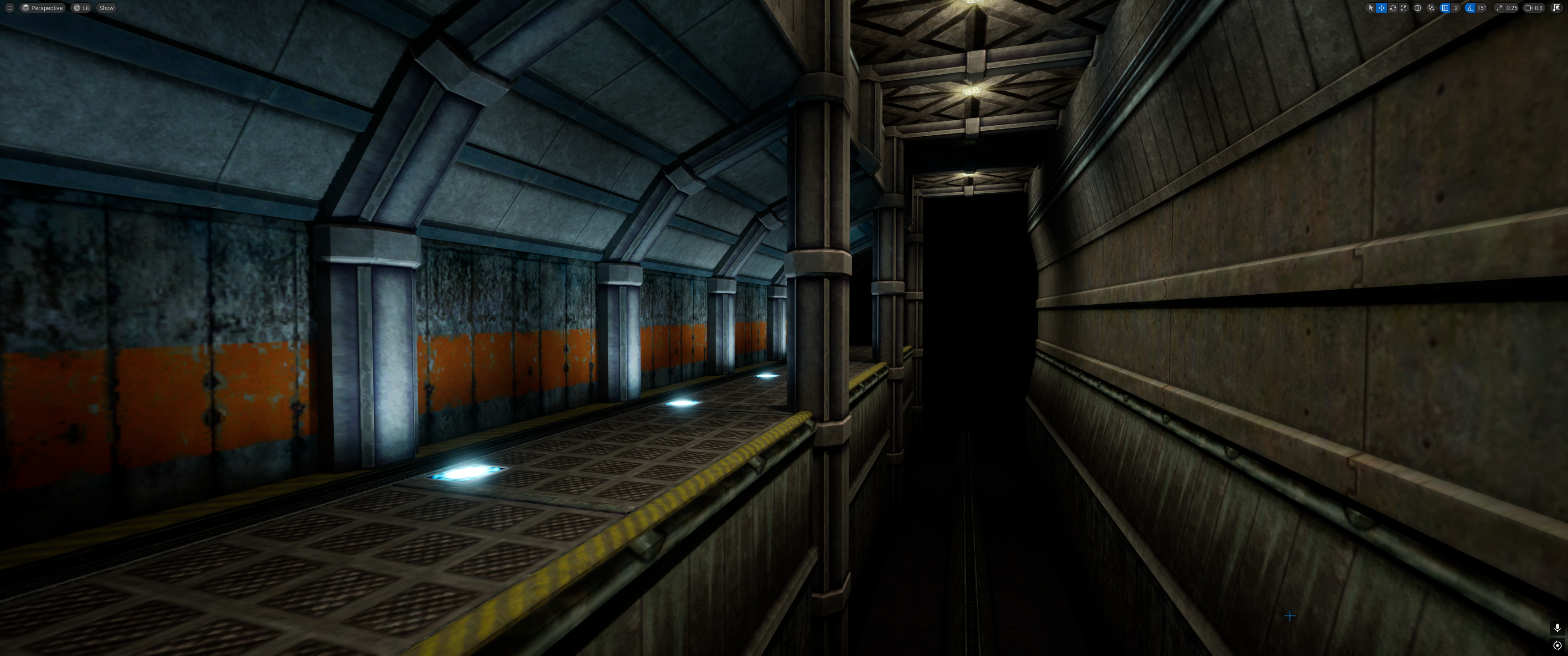
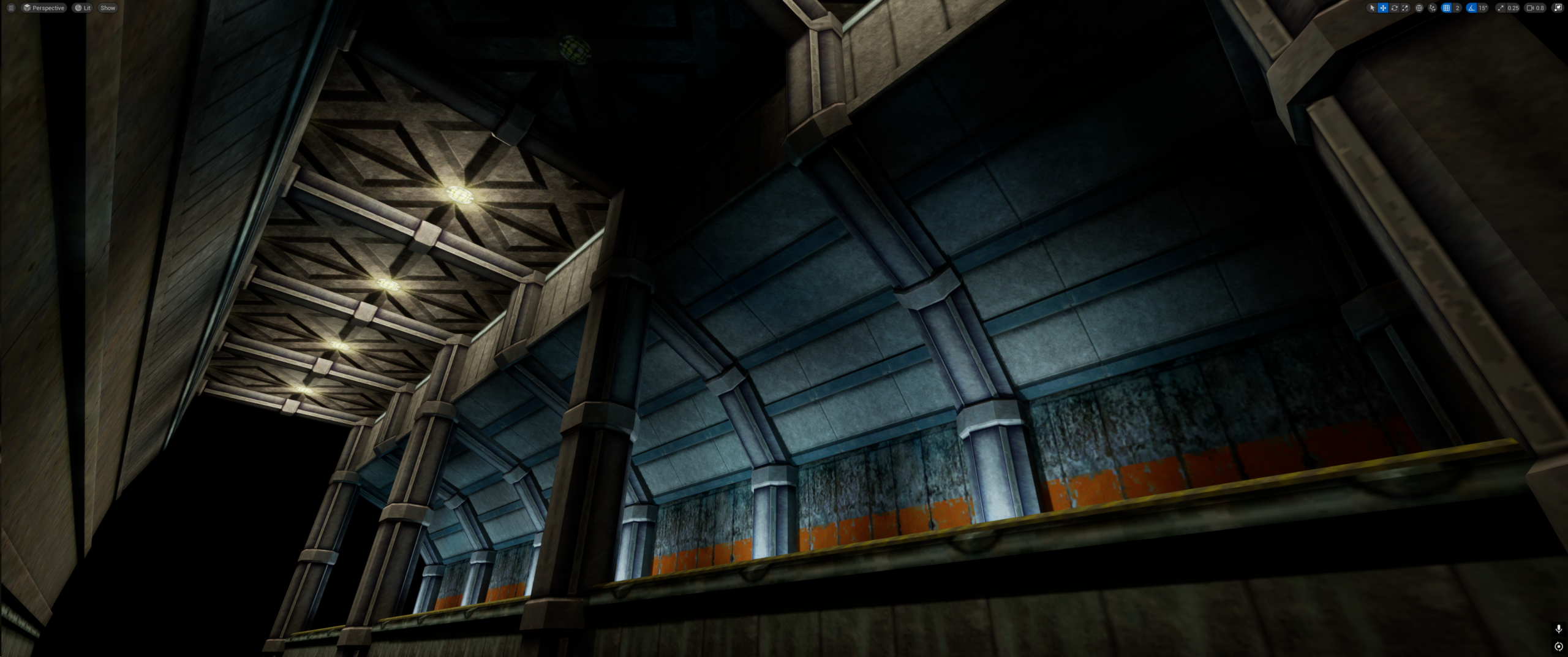
I am once again aimlessly enjoying the Unreal level design tool Scythe, which I get to test early builds of. Here’s 40 minutes or so’s messing around today using Half-Life: Alyx textures. It’s really a lot of fun.
A while ago I made a cool effect for Sleight of Hand, where (since you hide in clouds of smoke sometimes in this magic-themed game), we were experimenting with a type of lantern that guards could carry around and it would dispel any smoke or fog around the light. The fog is all volumetric, so cutting through it in a way that looks good is easily done with a spheremask, but that doesn’t handle occlusion (removing smoke on the other side of a wall from the light). In our game it’s probably not important to handle that case, but I did it anyway using Niagara, and the result looks pretty sick.
I continue to spend time screwing around in Scythe. It’s so fun to finally be making maps again properly in Unreal. Some of the folks in my discord took to scything on stream and a couple times a bunch of us have just chatted and scythed, it’s a good vibe. All this stuff took no time to make!
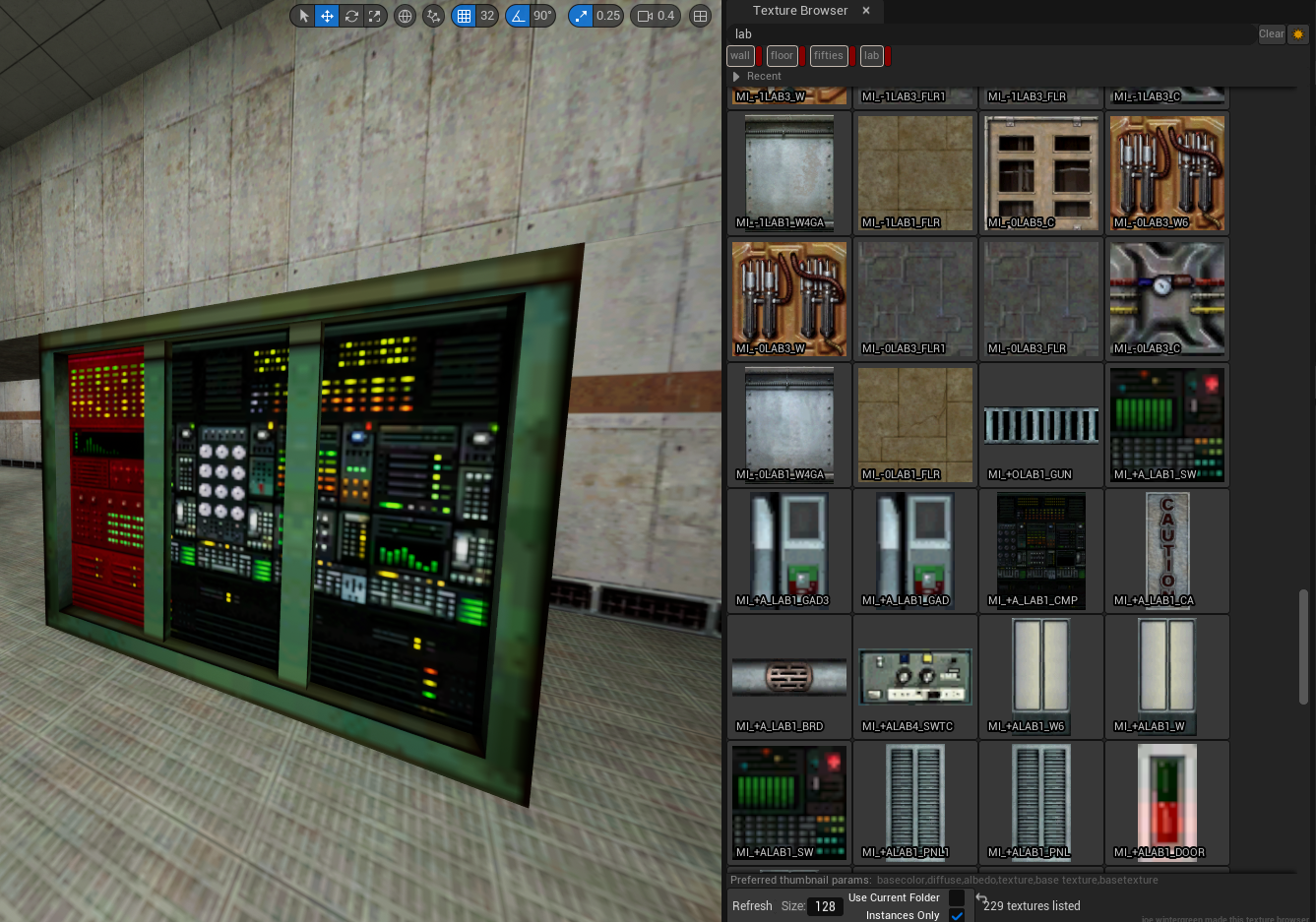
This is a “texture browser” utility widget for UE5.5 that presents materials in the style you’d expect from a level editor in the 90s: as square thumbnails.
Unreal normally presents materials in the content browser as lit and mapped to a sphere. This isn’t useful for much. When you’re making a level, you want to actually see the images you’re working with. So this plugin presents them that way. It looks like Hammer’s texture browser. You can buy it on Itch.
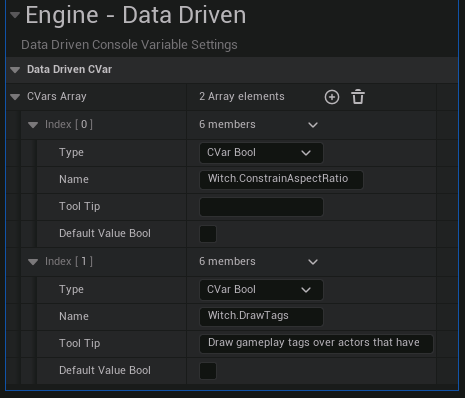
If you use UE5, you might have noticed there’s a new-ish feature called Data-Driven Console Variables, and you might also have noticed that nothing comes up when you Google this. There’s not much to it, but in the interests of having something come up when you Google this, here’s what I’ve figured out about data-driven cvars.
Hammer, king of level editors, has a view mode where the scene is unlit, but not fullbright; it’s shaded to make it easier to parse. Unreal doesn’t have that! But you can add it yourself, really easily, with no C++ or Blueprint – just a postprocess material and a line in a config file. Here’s how!
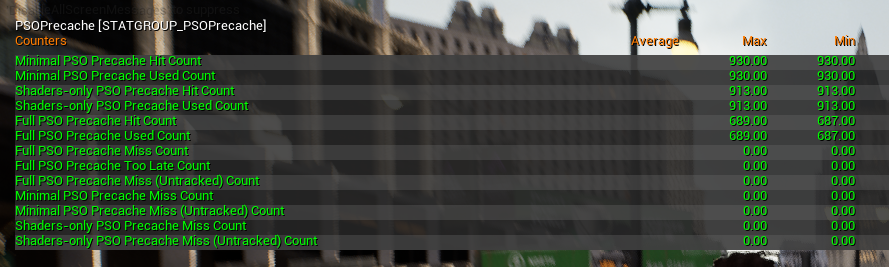
Unreal has a reputation amoung the ill-informed for being plagued by shader compilation stutter. As an attribute of Unreal itself, this is basically made up – devs are just not always doing what they are supposed to do pre-ship to avoid this issue. I’ll elaborate, but basically, to avoid compiling shaders during gameplay, you want to do it up-front, like during an initial loading screen, which maybe says “Compiling shaders” on it, and not let the player begin until it’s done. To do that last part properly, you need a little bit of C++. I had to do this for InFlux Redux recently, so here’s mine.
I’ve been testing a friend’s WIP level design plugin for Unreal for a while now, and while it’s still very early, it’s available now on Patreon and you should support it there. It’s bringing Source 2 style geometry editing to Unreal, allowing level design to properly be a thing again, and I made a video about it, see below.
I guess in April 2023 (holy shit that is longer ago than I thought) I started making a little car game prototype, sorta inspired by Micro Machines/MASHED/Re Volt etc, and I got back into it a bit recently. I guess so far I’ve probably worked on it for under two weeks cumulatively but it’s starting to look like there’s a universe where I finish it. The vibe is same-screen-multiplayer competitive knockout races where you can blow each other up.
At the moment I’m a Senior Technical Designer at RiffRaff Games, working on a stealth game about a witch. We demoed some new stuff at Day of the Devs the other week. You should check it out, probably!
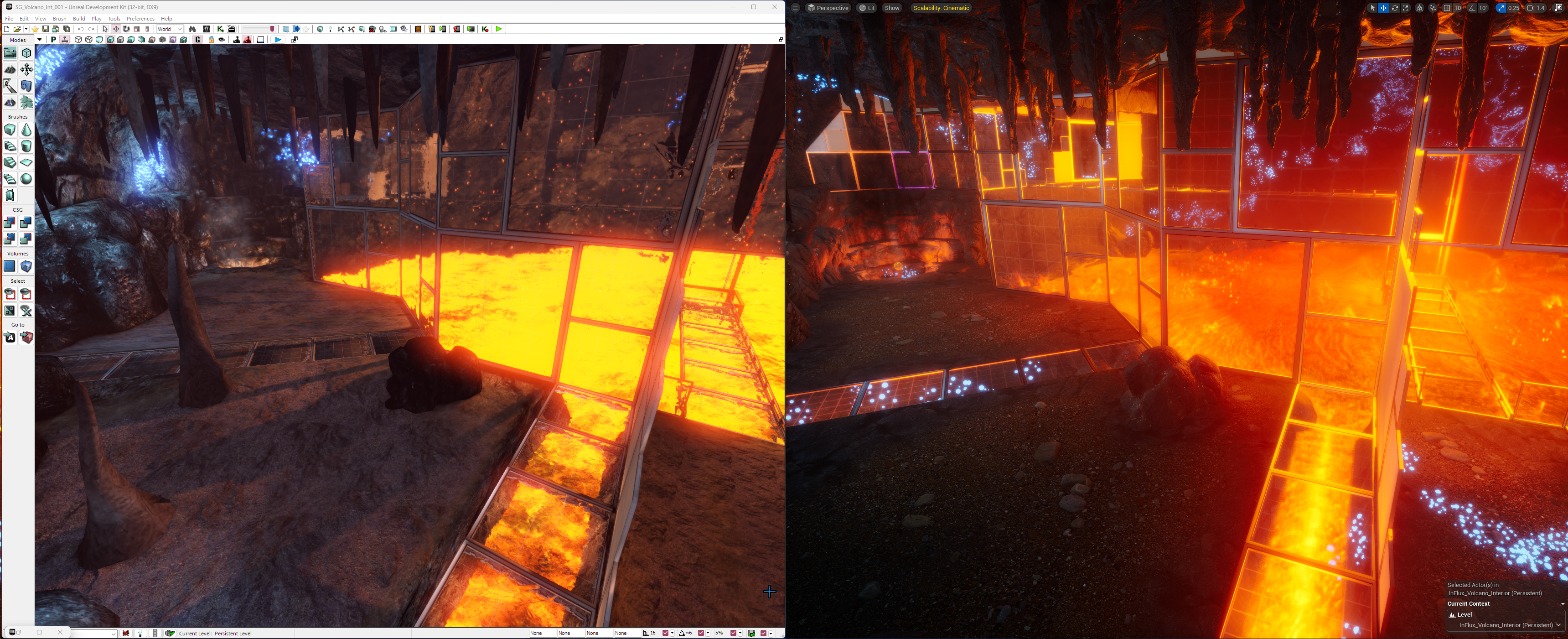
Just spent some time making a comparison/developer thoughts video of InFlux Redux (2024) vs the original InFlux (2013), which was fun. Here’s me opening the editors for both projects side-by-side and saying whatever it occurs to me to say about the development process(es). Get set for 50 whole minutes of unrehearsed dev thoughts
In some of my spare time, I’ve been having fun screwin’ around building something out of Weird West assets and concepts, which Wolfeye kindly don’t mind me doing and sharing. I worked on Weird West for years and always wanted to make something else out of their art, which looks amazing close-up. Here’s a video of most of what I have so far.
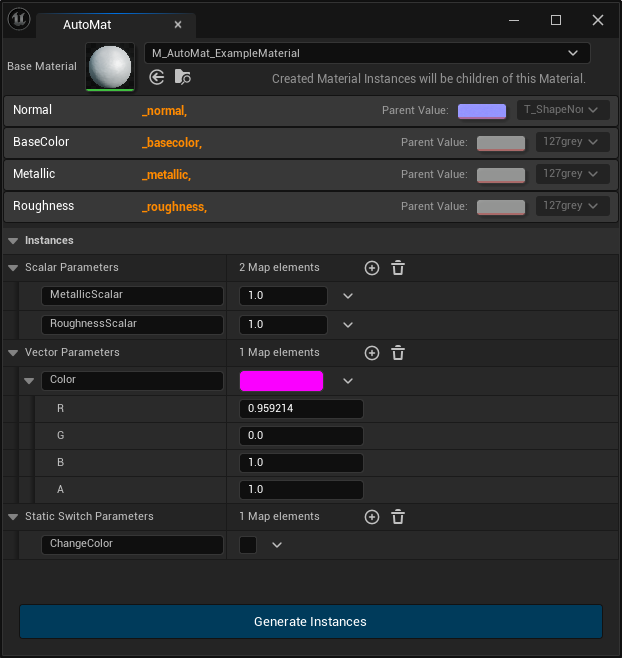
Here’s a tool I made a while back that you can buy: it lets you automatically create instanced materials for many textures at once, given a base material with parameters to fill. This saves you a lot of time if you have a lot of textures you want to turn into material instances, like: 200 world textures which each have a normal+roughness+AO map, or whatever.
That’s what I’d be saying if I remembered to make this post several days ago when it came out. It is out, though! You should buy it on Steam and leave a positive review. 11 years after the original and some amount of years after I started working on it, here’s a blog post about it.
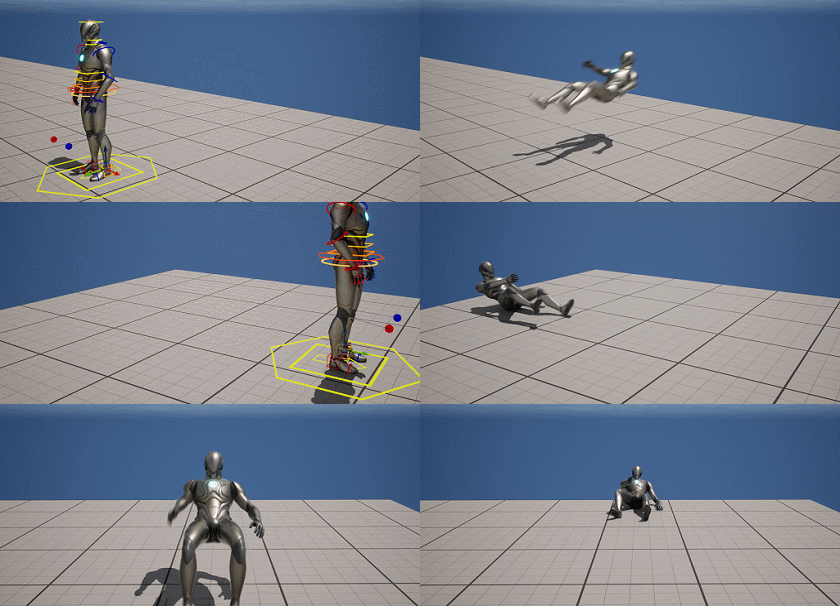
One of the things I’m not is an animator, but every few years I give it a crack, and recently I gave it a crack inside Unreal, which now has really good rigging and animating tools. I made a complete Max Payne dive – sideways, front and back, all blending together just like in the original game, in a few hours’ work spread across a couple of days. Pretty pleased with it.
Back in 2021 I made a mod for Deus Ex 1 that fixes the lipsyncing and blinking, which, I betcha didn’t know, was broken since ship. Everything I wrote about it is on Twitter, and it oughta be somewhere else, so here’s a post about it. The mod itself can be downloaded here.
Here is an incomplete list of unreal engine plugins that I like
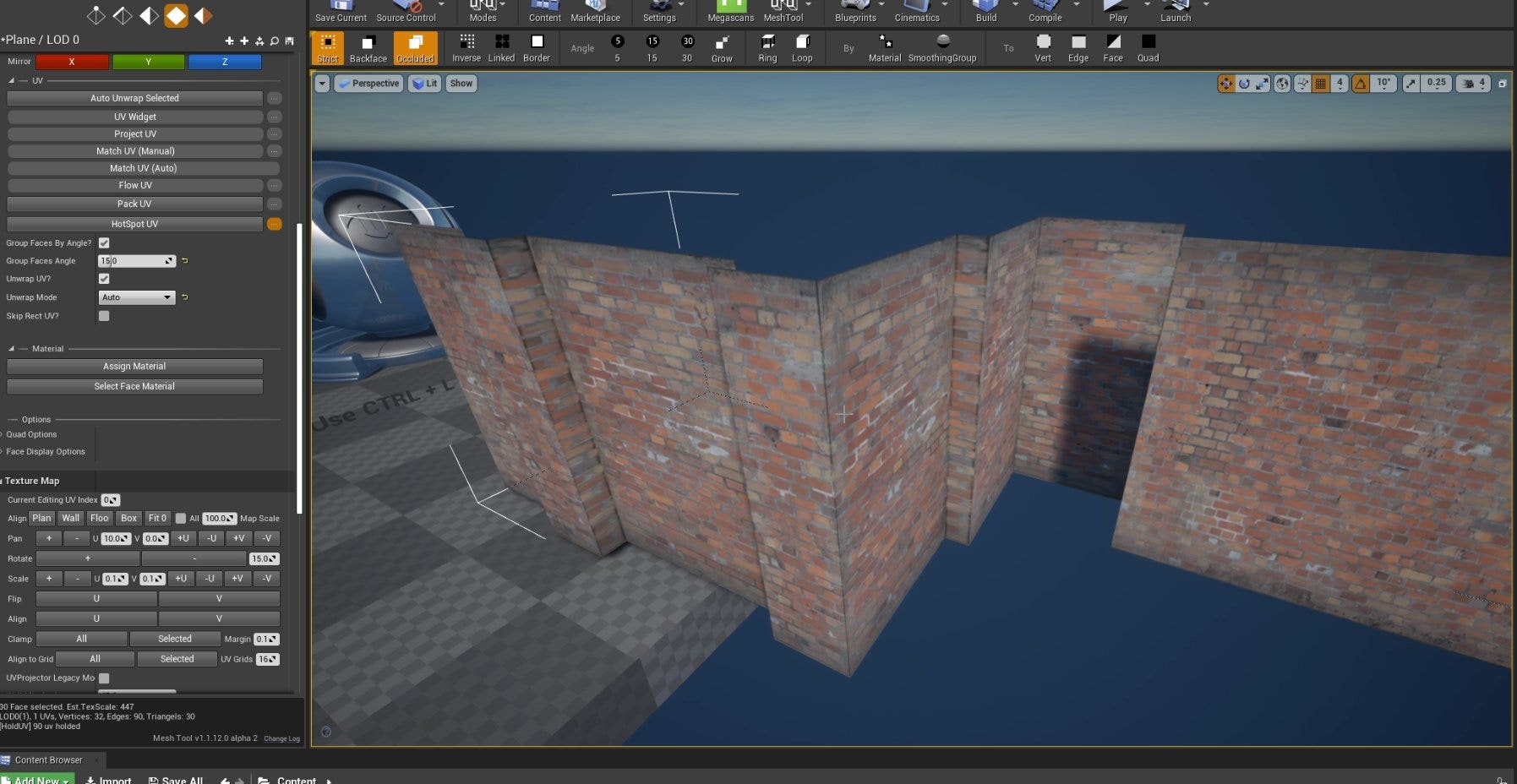
Mesh Tool by Nate Mary is a general modeling tool and the best way to do level design in the editor (edit: this has been far surpassed by Scythe), though UE5’s CubeGrid tool is really good too (but has fewer functions than this). You can use both together, both just output meshes. I asked Nate to add Hotspot Texturing like Source 2 has, and the madman did it. The pictures above are all of MeshTool stuff, all of it whipped up real quick.
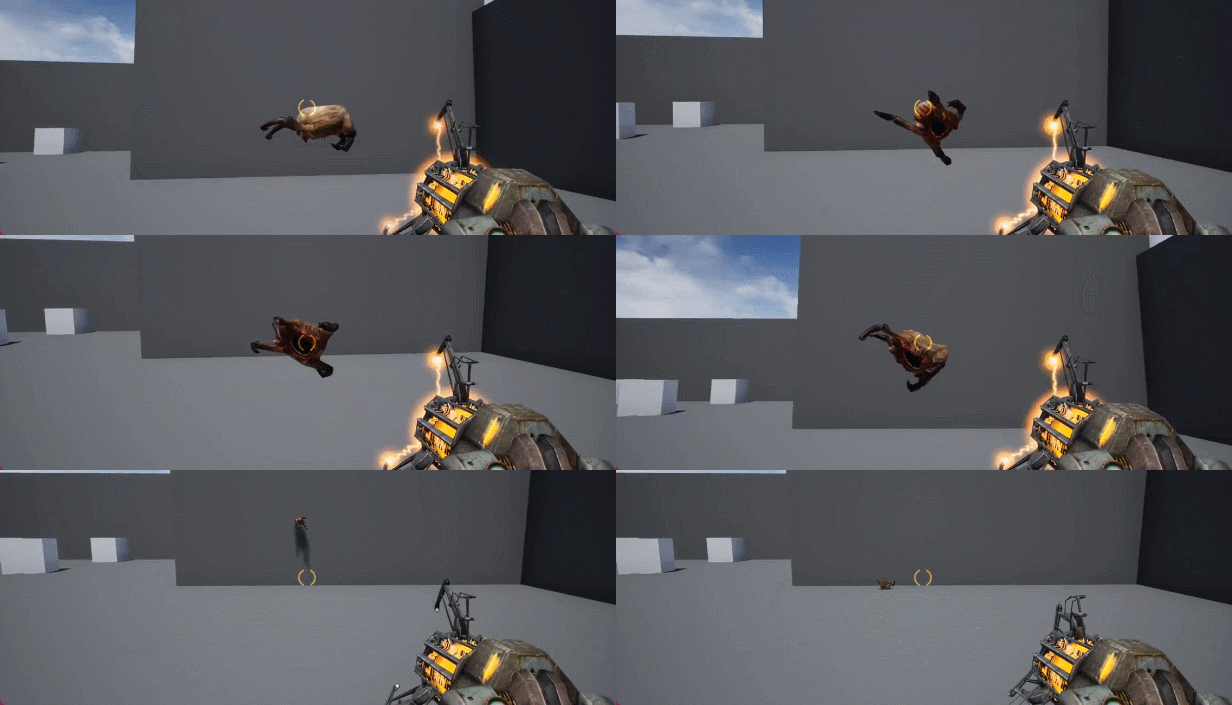
Way before Half-Life Alyx had been announced, I spent a couple of days one Christmas remaking Half-Life 2’s headcrabs (using their existing art and anims) in UE4, but with additional physical reactivity – they can lose their footing and struggle to recover, smash into things and active-ragdoll around after a bad jump, get picked up by the gravity gun, etc. Half-Life Alyx later did the exact same thing, which I remain somewhat chuffed by even if this was just the obvious next step for headcrabs.
in the unreal engine, edsplash.bmp is the name of the splash image presented to the user while the editor loads. projects without a custom edsplash.bmp are considered especially heinous. often a given edsplash will never be seen outside its development studio. but sometimes an edsplash escapes onto the internet. these are their stories
One of many things I worked on on Weird West is the hiding of walls/floors/etc between player and camera.
When I joined the project, roof-hiding and the-floors-above-you hiding were all that was in; the camera went top-down at about 80 degrees when you entered a building. I found that a bit disorienting and wanted to try to figure out a way to smoothly hide the walls, but as with my fire propagation stuff, this was complicated by the fact that a ton of levels had already been built and I didn’t want to add complexity or fixup work onto other folks’ tasks. So this is a wall-hiding system that doesn’t know what a wall is.
I spent 8 hours on this Jedi Survivor tech test when I was interviewing for a Technical Narrative Designer job there a while back. Got offered the job, but didn’t take it. The test called for “a system to manage the narrative”, plus timed lifts that are easy for level designers to set up, a trap that shoots a projectile from offscreen, etc etc.
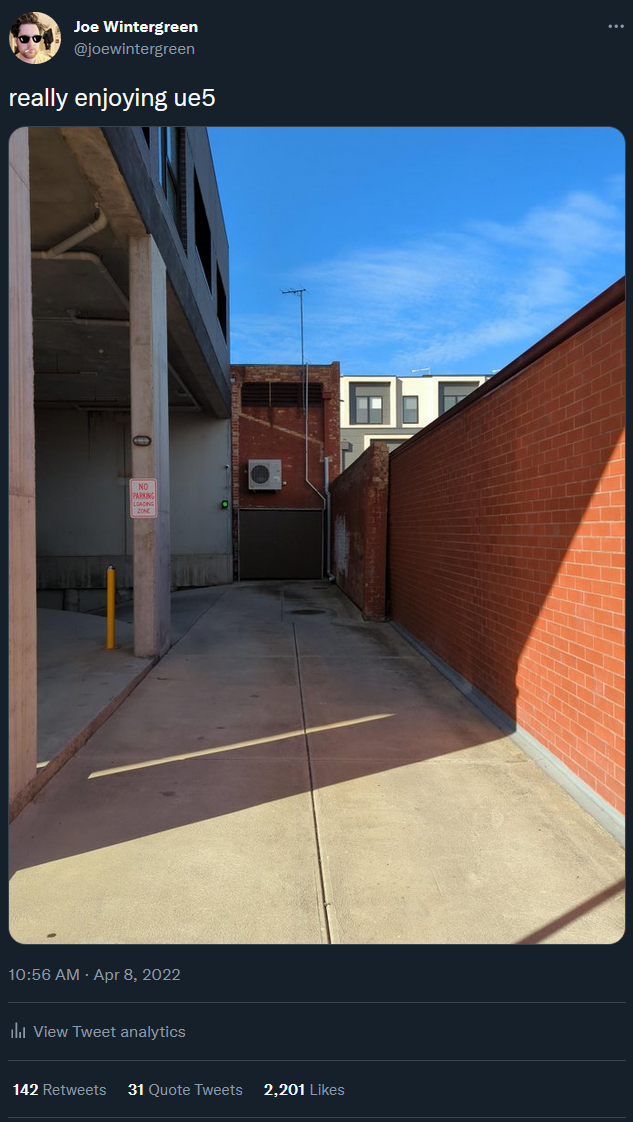
i suggested that this photo i took near my house was a screenshot out of unreal engine 5, and many people believed me and were amazed, or didn’t but were unsure, or recognised it as a troll but thought it was a troll on people thinking it was a photo (which it was), or just got confused and annoyed, it was pretty great
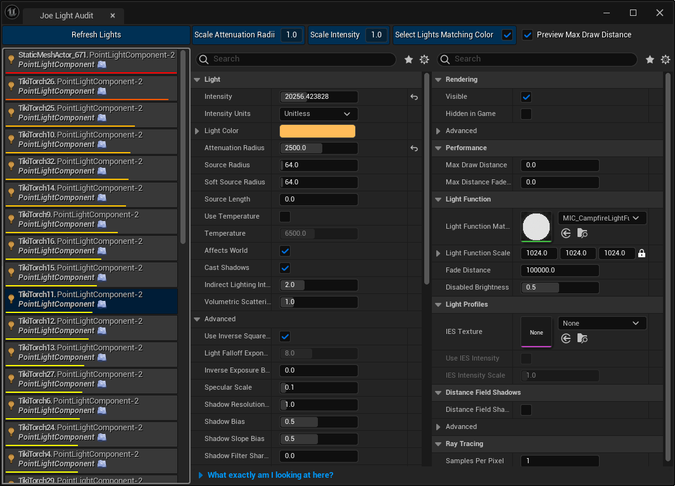
Selling this on itch and fab. It’s a helper widget I made to help track down expensive lights in UE5. Sorts all the lights in your scene by how expensive they probably are (based on how many shadow casting objects are in the radius, etc).
Also gives you an easy way to directly change properties of LightComponents inside Actors without selecting the actor and then the component.
What is the biggest technical hurdle you see when porting games to the Switch?
A lot of people say the CPU, but for me it’s usually been the GPU and the limited memory. The Switch is effectively a 7 year old mid-range android phone, and it’s very difficult to get to 30fps (forget 60, for most things) without making your game look real bad. This is a big issue for InFlux Redux whenever I try to put that on there – a lot of that game is about looking and sounding nice, and there aren’t a lot of options that will survive the Switch’s gpu and memory situation.
should tim sweeny open source unreal engine 1 and 2
absolutely. i gather the reason this doesn’t happen (at least for 1) is a valve-style “it would require a fair bit of work nobody ever feels like doing”. but it would fucking rule
i feel like it’s not acknowledged enough that unreal engine 4/5 is in the weird position of being the only commercially available game engine, in the sense of what a “game engine” traditionally was: tools and tech emerging from game development, not just for game development. it’s not a good state of affairs
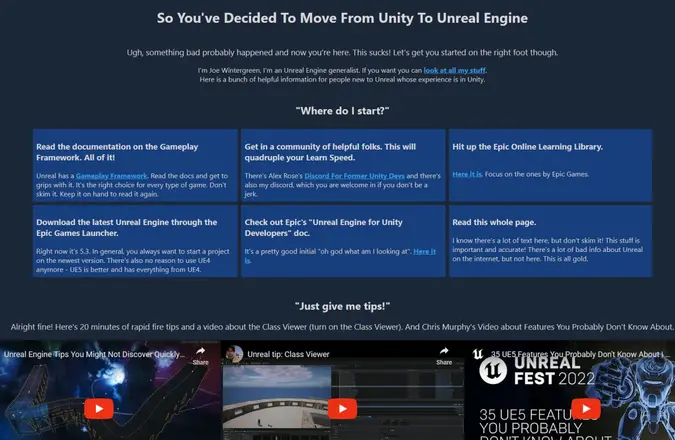
Decided to do something useful: whipped up a quick Internet Site for all the Unity folks who now want to learn Unreal and don’t know where (or whether) to start because it’s daunting as hell.
Spent some time on a comment to help someone out who was having trouble starting out in Unreal, but it might as well be a post, so here it is:
Unreal is really good, but it doesn’t teach itself well, which frustrates me a lot. Once you’re across it it’s wildly empowering, but getting across it is way harder than it needs to be, so you’re not alone here at all.
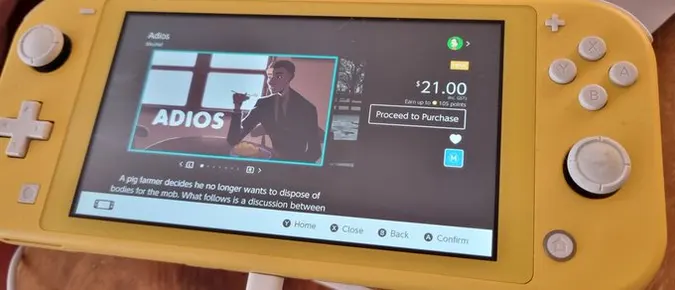
Couple years ago, I handled the port of Adios, the game about the pig farmer who doesn’t want to dispose of corpses for the mob anymore, to the Switch. It took a week. The Switch is weak as piss, so this is always a little bit of a pain, but the port ended up looking visually pretty good and runs at a solid 30fps, usually at the full 720p in handheld mode. Sometimes it has to dynamic-res to a lower res, but it’s usually not noticeable thanks to Unreal’s temporal upsampling.
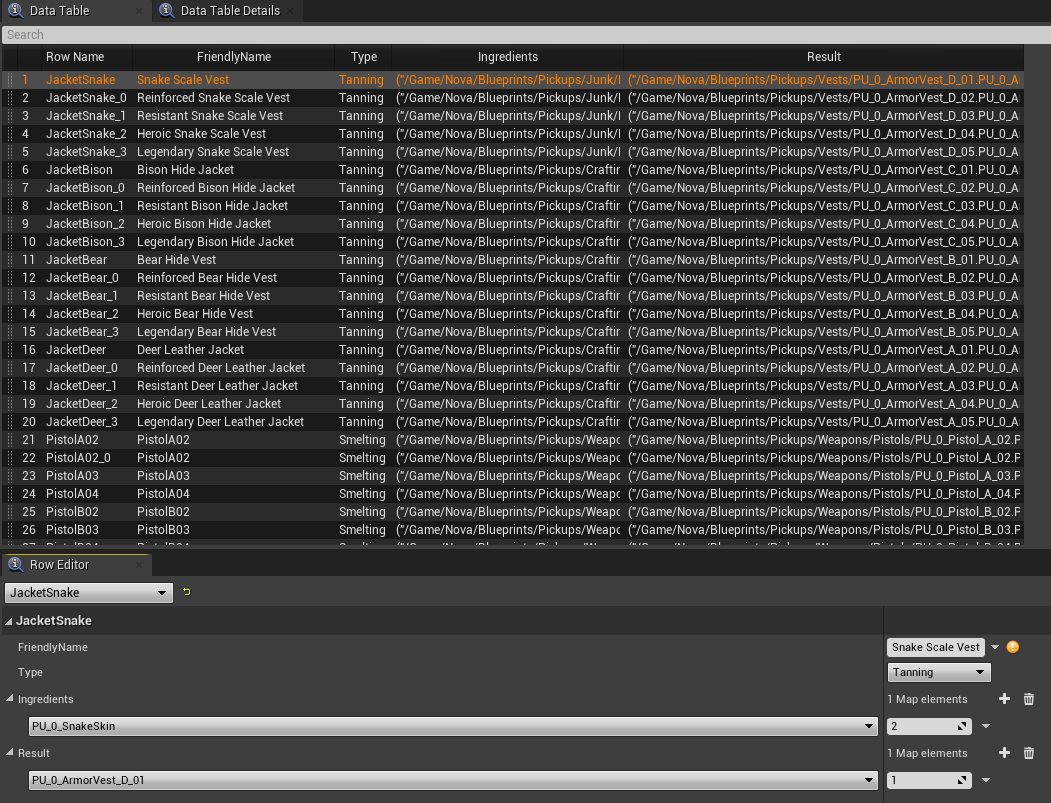
More stuff I did on Weird West: the Cooking/Crafting system.
You can cook raw food over a fire or stove, use forges and tanning racks to craft weapon upgrades and armour, smelt ingots from nuggets or melt ingots back down into nuggets, etc. Arguably what I did for this ended up being a little overengineered versus the game’s requirements.
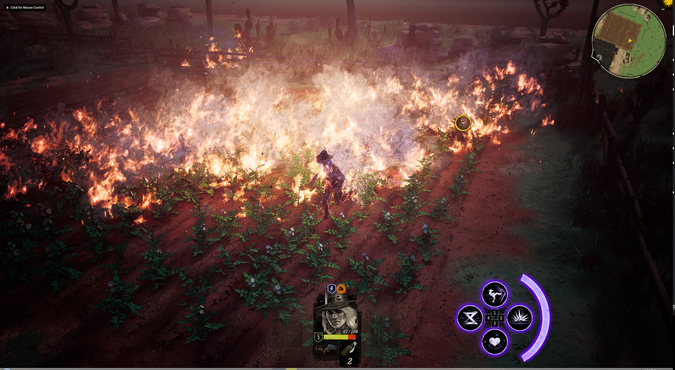
Here’s something I did on Weird West that I thought was cool: fire propagation across grass and foliage. Lots of stuff is flammable in the game, and there’s a general elemental signal system that handles most of those interactions, but foliage needed some special handling.